Introduction to TCPING
tcping is an open source network detection tool written in C++ by American Mr. Eli Fulkerson; you can download the executable file or download the source code and compile it yourself.
Offical website: https://download.elifulkerson.com/files/tcping/0.39/
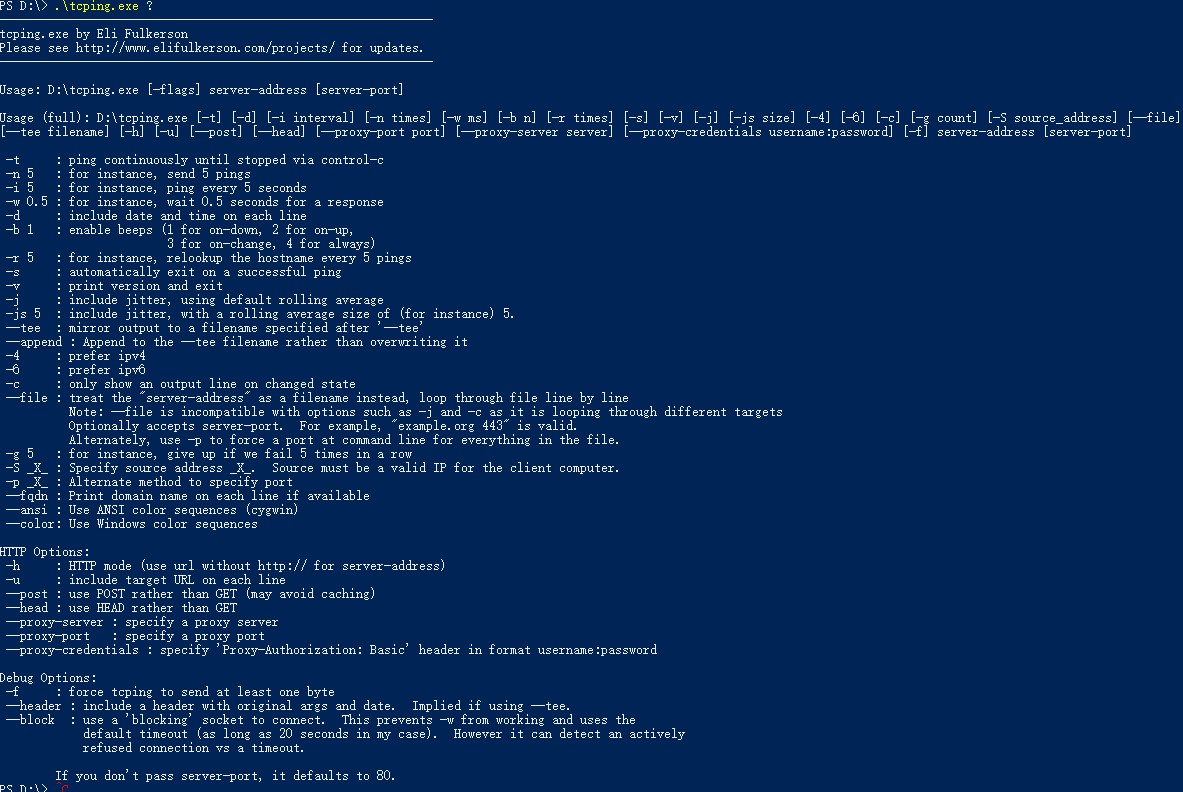
Tcping is similar to ping and is also a tool used to detect network connectivity. Different from ping, tcping can check the port. For more usage, please execute it in the program? Come check it out.
Program help information
Detect port latency of applications using tcping
Download it from Eli Fulkerson’s website and run it through the command line
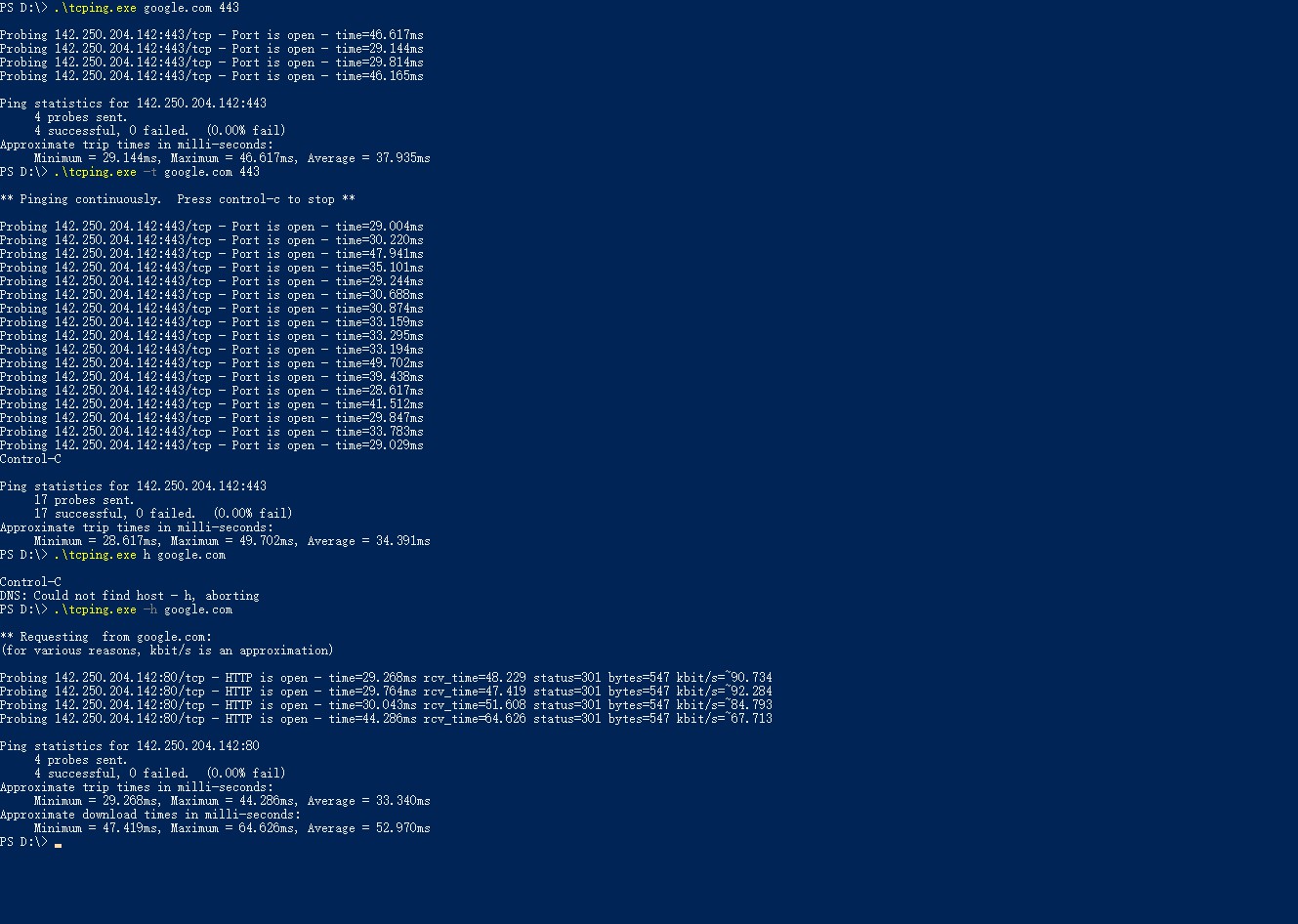
Enter the program and target address in the directory where the program is located for detection.
.\tcping.exe google.com 443
//.\tcping.exe 目标地址/域名  目标端口
You can get the result, or you can add parameters after the program
.\tcping.exe -t google.com 443
//.\tcping.exe -t 目标地址/域名  目标端口 (-t长ping)
.\tcping.exe -h google.com
//.\tcping.exe -h 目标地址/域名 目标端口Example diagram
Use tcping to check network fluctuations of online games
When I receive feedback from users that online games have high latency or cannot connect, I usually use the commands tcping, tracert, nslookup, and ping to help troubleshoot the problem; a summary of the steps is as follows
- Get the server address related to the game 有时候游戏服务器是通过域名连接,我会使用nslookup检查解析地址
- Check basic latency status using ping 有些游戏服务器禁ping,我会使用tracert 来跟踪路由,顺便找一下游戏连接的端口(后面使用tcping检查端口)
- Traceroute using tracert
运营商链路调整 有时候会影响游戏体验;某个节点断掉
tracert可以协助你判断路由节点的问题 - Use tcping to check game server port latency and whether it is open 有些游戏是UDP协议,我会用hping,或者nc。基本上tcping已经很够用所以我这里只介绍tcping。
previous article
Network testing using PsPing https://www.itiohub.com/share/psping.html
The above content is mainly based on Windows operating system. If you have other better tools, please share them in the comments below.