CUP installation notes
Introduction to CUP
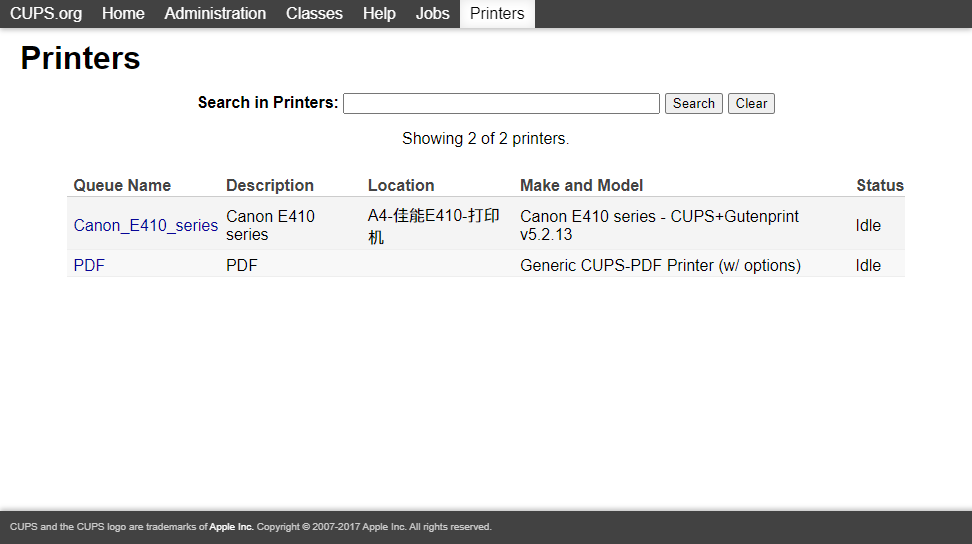
CUPS is an open source printing service from Apple inc. You can deploy it in your LAN, connect the printer to the server, and other workstations can access the printer through the LAN.
Official website:
http://www.cups.org/index.html
Github page:
https://github.com/apple/cups
CUPS supports printing service sharing within the LAN, eliminating the need for cumbersome printer sharing settings, and can also connect old printers to the LAN. It also supports mac os, linux, windows, Android and ios air print;
Summary of notes
- Linux server version Ubuntu 18.4
- Download and install CUP
- CUP configuration modification
- Add printer using WEB GUI
- Access printer via LAN
- Configuration file description
Download and install
sudo apt-get install cups cups-pdf cups-bsd #下载安装CUP configuration modification
sudo cp /etc/cups/cupsd.conf  cupsd.conf.bak #备份配置文件
sudo nano /etc/cups/cupsd.conf  #修改配置文件
#
# Configuration file for the CUPS scheduler. See "man cupsd.conf" for a
# complete description of this file.
#
# Log general information in error_log - change "warn" to "debug"
# for troubleshooting...
LogLevel warn
PageLogFormat
# Deactivate CUPS' internal logrotating, as we provide a better one, especially
# LogLevel debug2 gets usable now
MaxLogSize 0
# Only listen for connections from the local machine.
Listen 631 #更改监听端口
Listen /run/cups/cups.sock
# Show shared printers on the local network.
Browsing on #打开局域网发现打印机
BrowseLocalProtocols dnssd
# Default authentication type, when authentication is required...
DefaultAuthType Basic
# Web interface setting...
WebInterface Yes
# Restrict access to the server...
<Location />
#Order allow,deny
Allow @LOCAL #允许LOCAL
</Location>
# Restrict access to the admin pages...
<Location /admin>
#Order allow,deny
Allow @LOCAL #同上
</Location>
# Restrict access to configuration files...
<Location /admin/conf>
#AuthType Default
# Require user @SYSTEM
#Order allow,deny
Allow @LOCAL
</Location>
# Restrict access to log files...
<Location /admin/log>
#AuthType Default
#Require user @SYSTEM
#Order allow,deny
Allow @LOCAL
</Location>After modifying the configuration, restart the service
sudo systemctl retsart cups #重启服务
sudo systemctl enable cups #设置开机启动
At this point you can use the LAN to access WEBGUI and add a printer
Configuration file description
MaxLogSize 2000000000  #最大日志,当日志文件超过此值时,开始循环

LogLevel info  #需要记录的日志等级

SystemGroup sys root  #CUPS的系统管理组名称

Listen localhost:631  #WEB管理监听的IP和端口号

Browsing On  #允许客户端浏览打印机

BrowseOrder allow,deny #访问权限设置,deny列表取代allow

BrowseAllow @LOCAL  #除了以@LOCAL结尾的帐号外

DefaultAuthType Basic

<Location />  #系统默认认证

  Order allow,deny

  Allow localhost  #只允许本机访问

</Location>


<Location /admin>  #基于管理功能的访问认证

  Encryption Required

  Order allow,deny

  Allow localhost #限制只允许本机访问

</Location>