How to change DNS in Windows
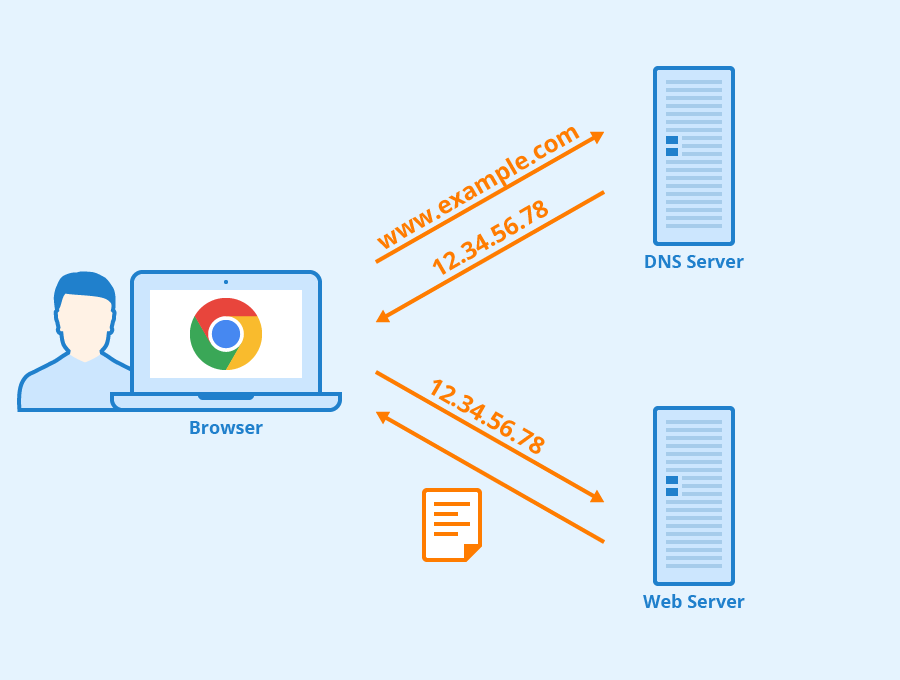
In the process of daily computer use, we occasionally encounter that some websites and games cannot be connected or the access to websites and games is very slow. At this time, we can try to change the DNS for testing and verification.
How to change DNS in Windows
- Press Win+R to bring up the command line

- Type ncpa.cpl and press Enter
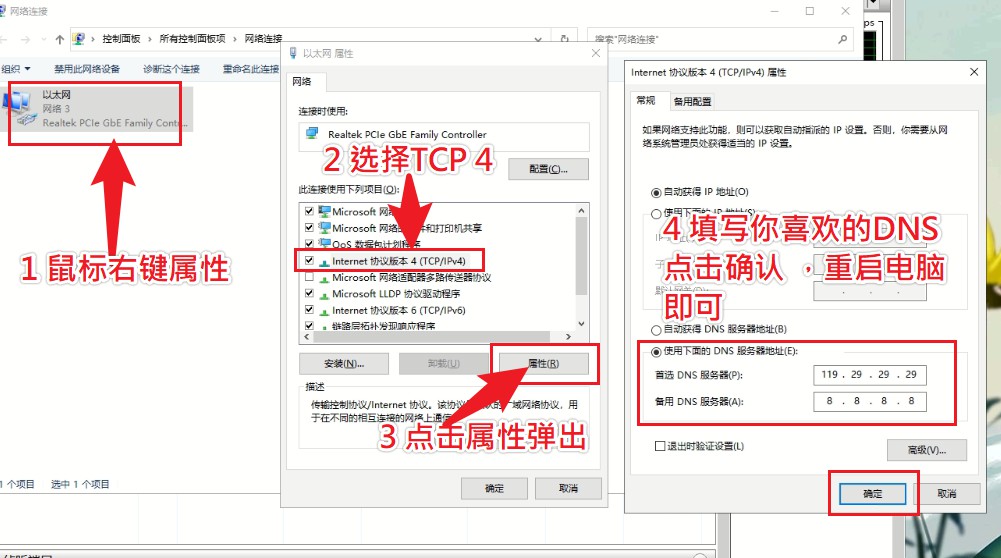
- Just change the DNS you like according to the icon.
Related links:
What Is DNS? | How DNS Works
https://www.cloudflare.com/learning/dns/what-is-dns/
AliDNS
https://www.alidns.com/
**DNS related tools: **
DNSDataView v1.60
https://www.nirsoft.net/utils/dns_records_viewer.html
DNSQuerySniffer v1.81
https://www.nirsoft.net/utils/dns_query_sniffer.html