Scenario
- Source Database running on Docker (Linux Server)
- Traget Database running on Azure Server
Prerequisites
- The structure, tables, restrictions, etc. of the source database and the target database are the same.
- Have access to the source and target databases
- SQL Server Management Studio
Step by Step
On Source Database
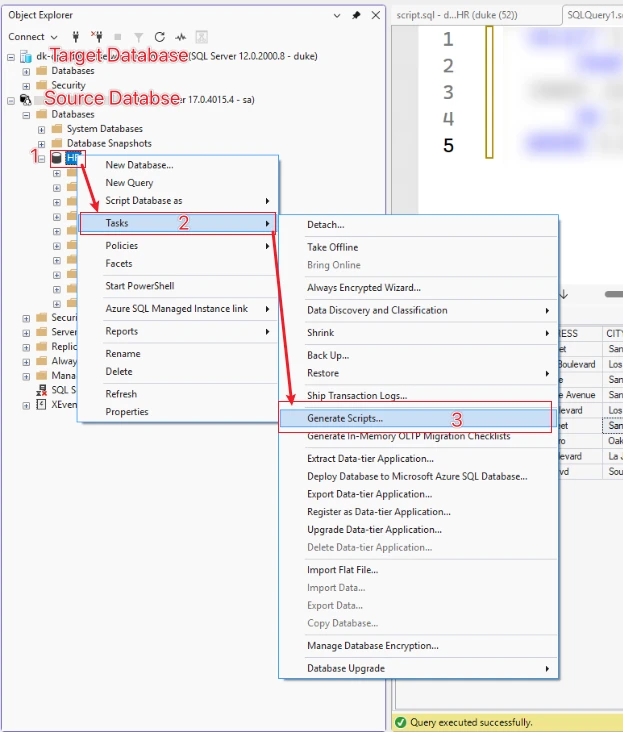
- Generate Scripts
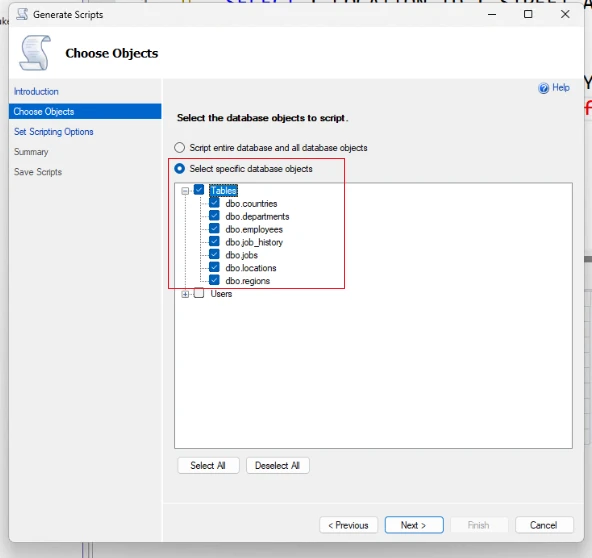
- Select specific database objects
- Scripting Options
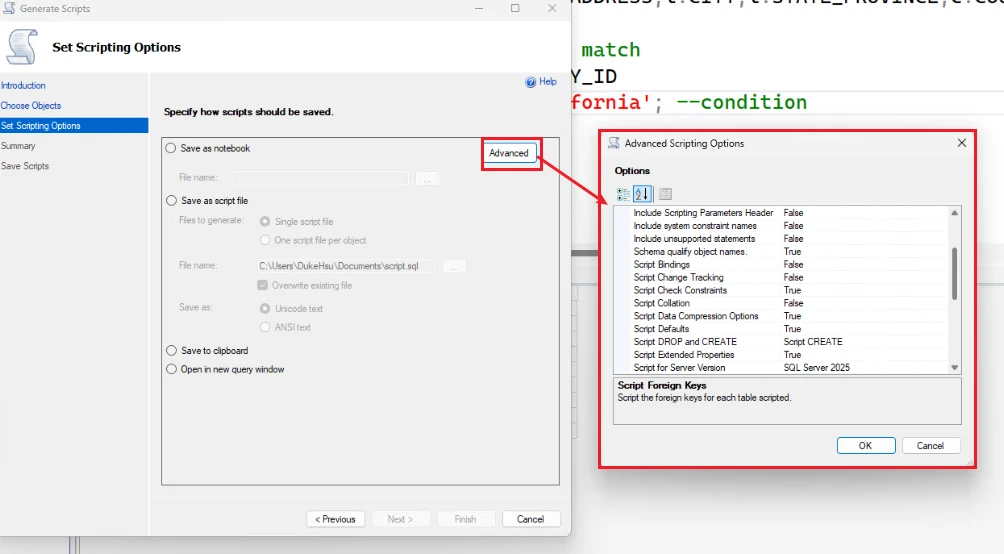
Note: Adjust Scripting Options as needed! ! ! !
The options required by the current scenario are set like this
- Types of data to script: Select Data only (because the structure already exists)
- Script DROP statements: set to False
- Script Indexes: set to False
- Script Primary Keys: Set to False
- Script Foreign Keys: Set to False
- Save as Script file
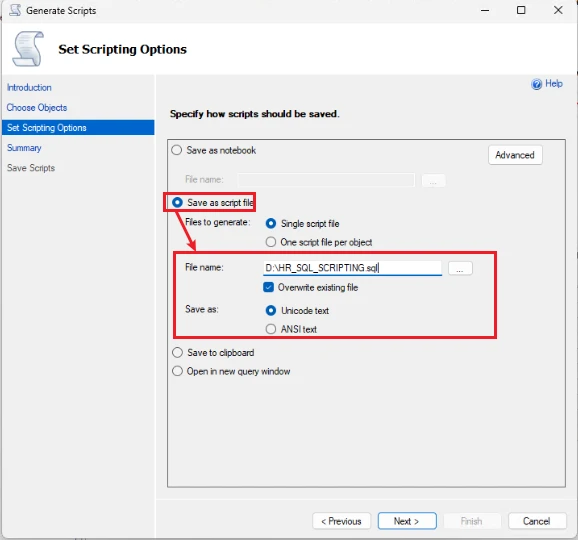
Then click next to save the script.
On target database
Disconnect the Source database connect .
Run script in target database
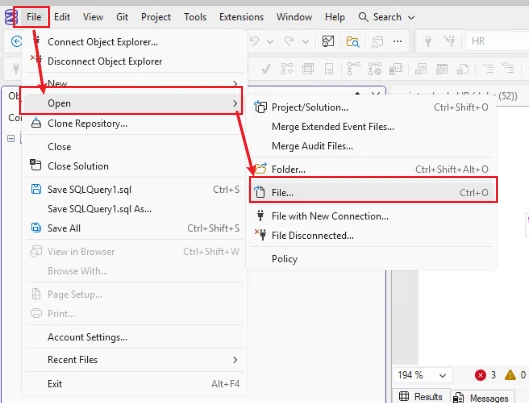
File > Open > File ..(sql_script.sql
Select the sql script you need to execute and it will automatically open in the sql management query window.
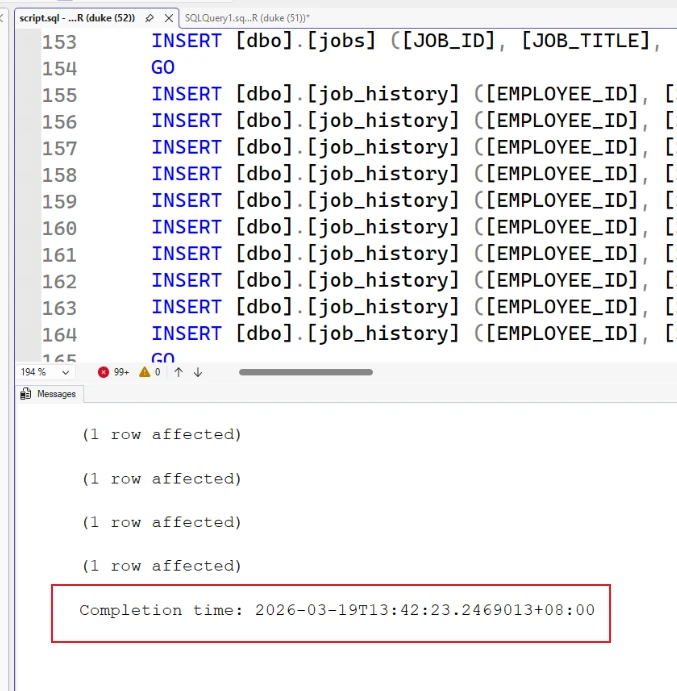
After checking that there is no problem with the script, click Execute to see the output results.
At this time, go back and check the table data
-- Check table data and return row counts
SELECT COUNT(*) AS [Row Count] FROM dbo.employees;
SELECT COUNT(*) AS [Row Count] FROM dbo.jobs;
SELECT COUNT(*) AS [Row Count] FROM dbo.departments;