This note mainly records how a novice uses Arduino IDE to develop the ESP32S3 development board, connects the ESP32 to the computer, adds an additional development board in the Arduino IDE, and lights up the LED light in the ESP32 through the sample code. The following operations are all performed in a Windows system environment.
Preparation
ESP32 S3 development board
Arduino IDE
USB To Type C
Windows operating system computer
Internet environment with normal access to Github
步骤
Arduino IDE 下载
Arduino 下载地址
https://www.arduino.cc/en/software
选择Windows操作系统下载安装好之后如下
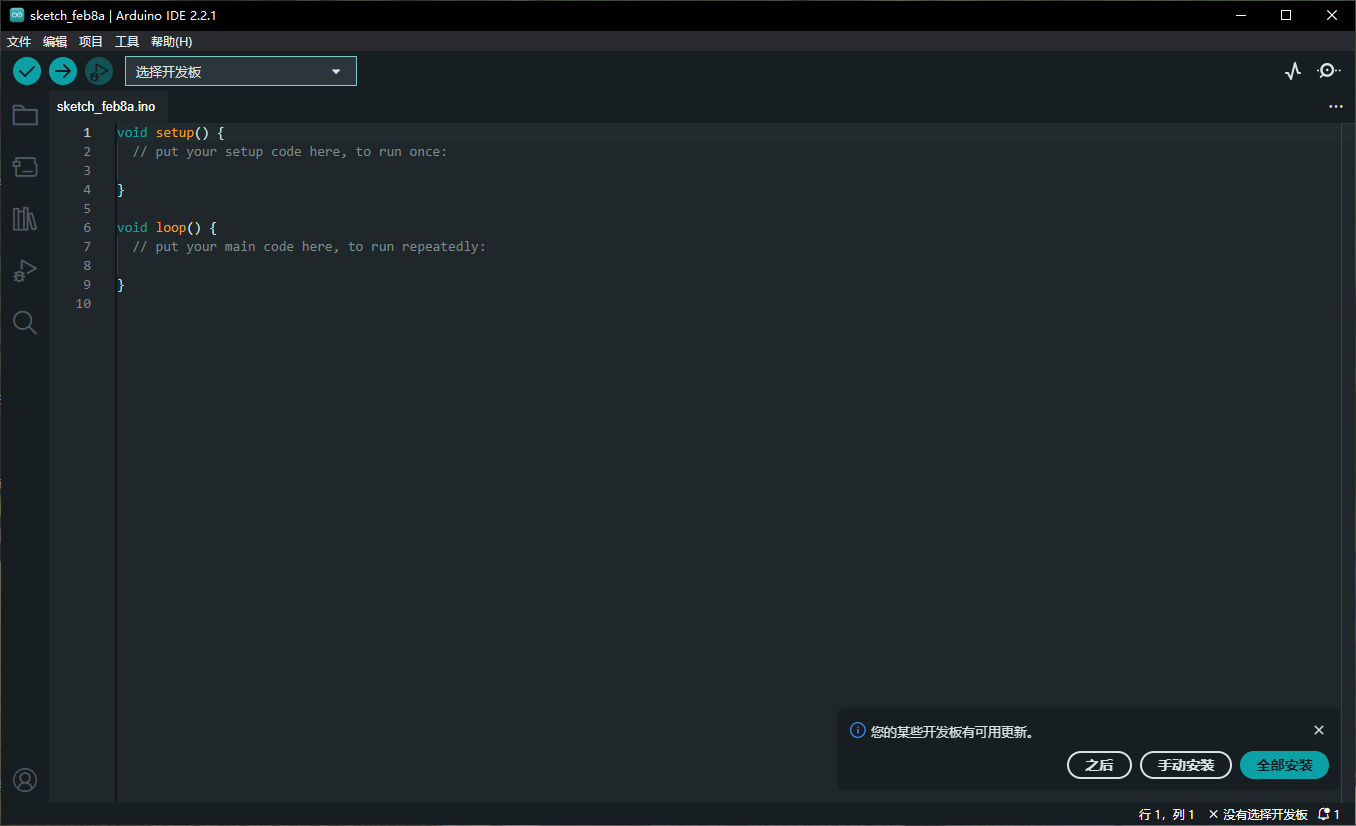
在IDE中添加附加开发板
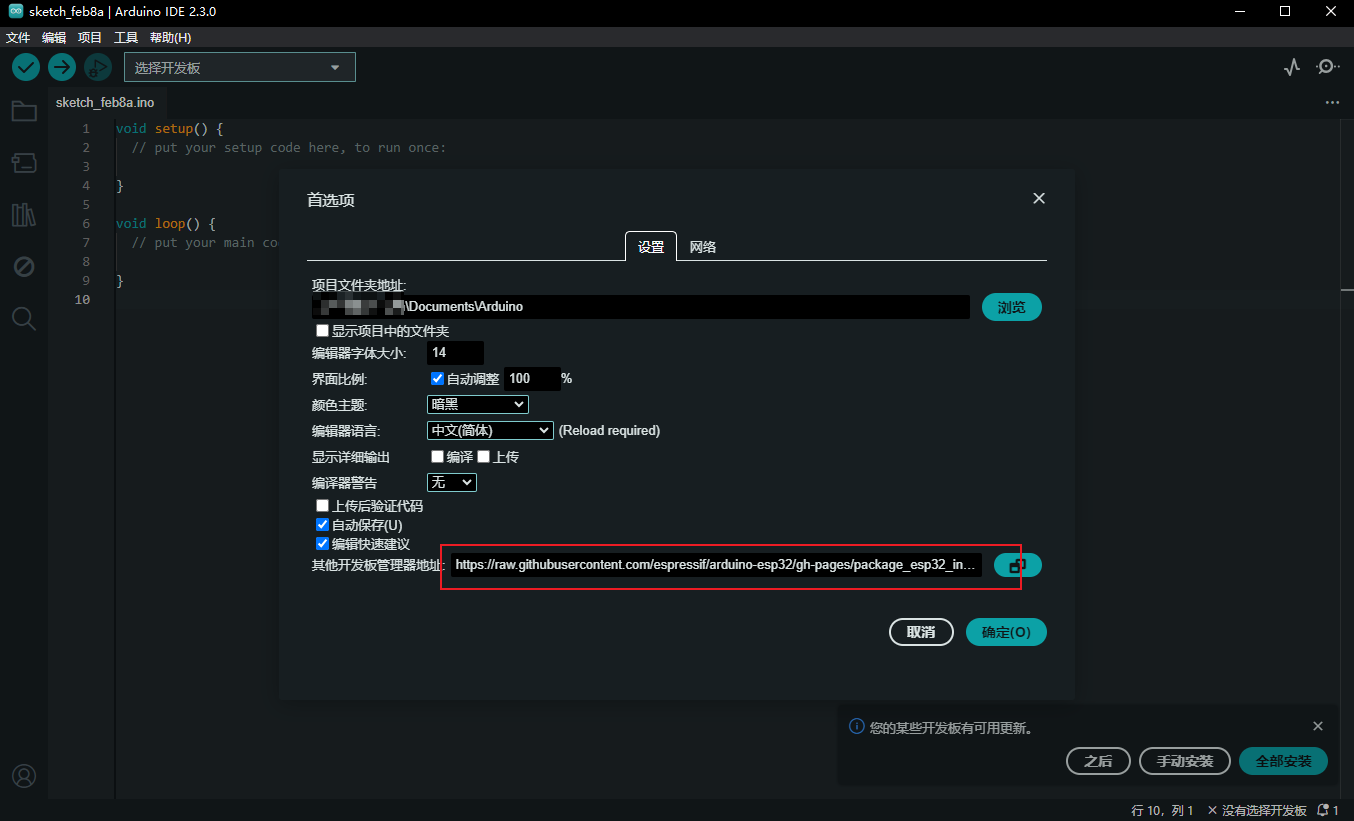
Click “File” - “Preferences” and enter the following address in “Additional Development Board Manager URL”
- Espressif ESP32: https://raw.githubusercontent.com/espressif/arduino-esp32/gh-pages/package_esp32_index.json
如下图所示
Click “Tools” - “Development Board” - “Development Board Manager”, search for “ESP32” in “Development Board Manager”, select “esp32 by Espressif Systems” and click to install. 如下图所示
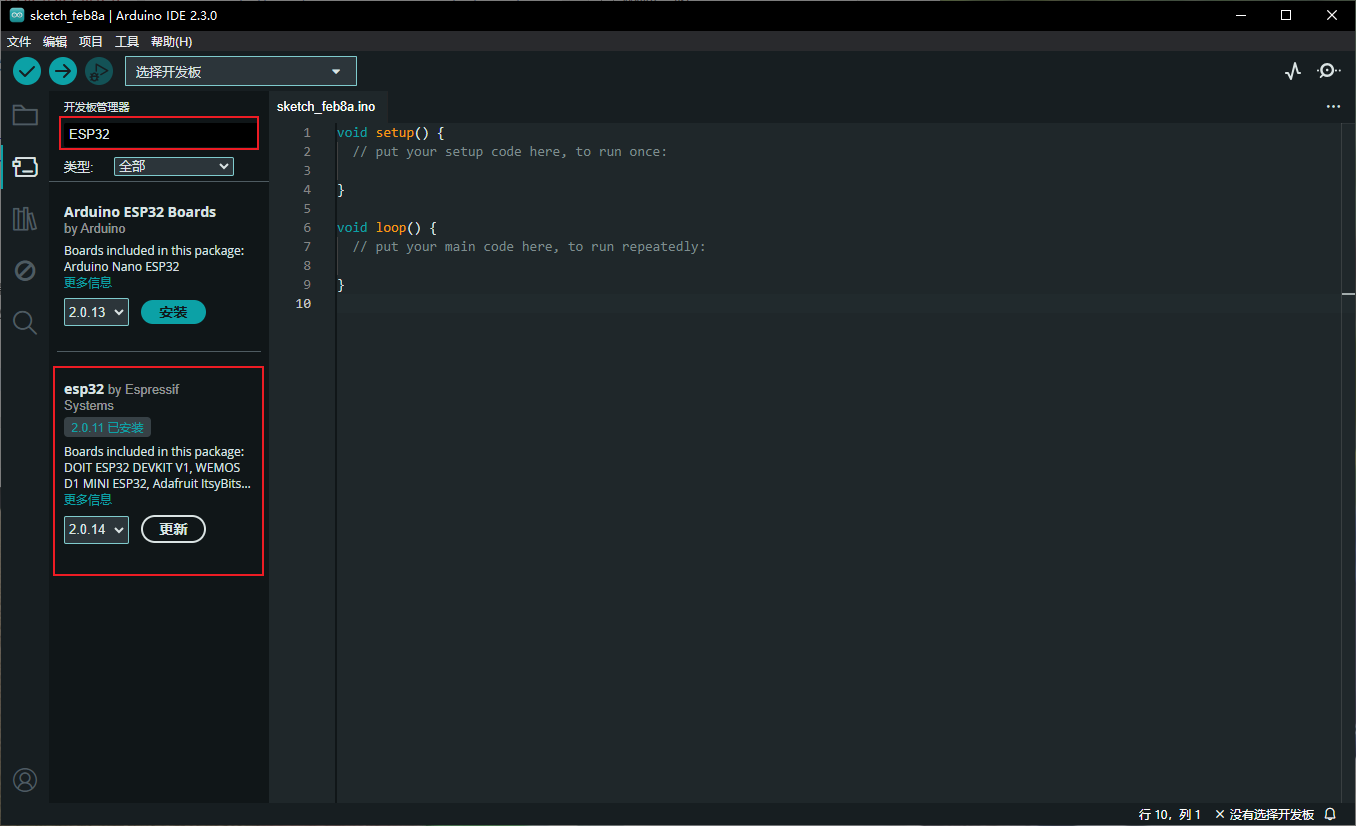
等待安装完成之后就可以开始连接ESP32 开发板.
Connect the ESP32 development board to your computer
- Driver installation
由于我使用的是USB A TO Type C, ESP开发板上用的是CH343p芯片,所以要提前安装驱动
源地官方 驱动地址:
http://vcc-gnd.com/ - Plug the device into the computer’s USB port through the USB A TO Type C data cable 切记使用正确的数据线,不是电源线,电源线里面只有2芯,无法传输数据
- Check in the device manager whether the development board is connected properly
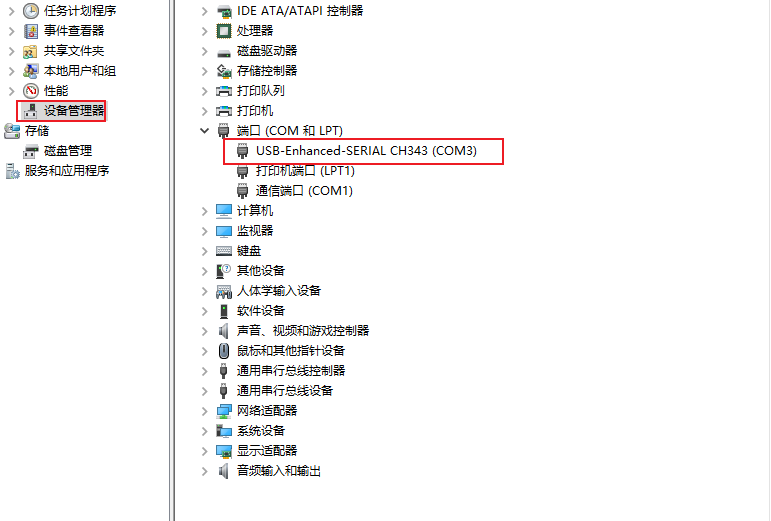
如果你可以在你电脑的设备管理器中的端口选项中看到该设备,那说明ESP32开发板已经正确的连接到你的电脑了
Connect the board in Arduino IED and use the examples
Connect development board via Arduino IED 在Arduino IDE左上角点击"选择开发板" 在"开发板"下方搜索"esp32s3" 并且找到相对应的开发板型号, 在右侧选择端口,点击确定即可.
如下图所示.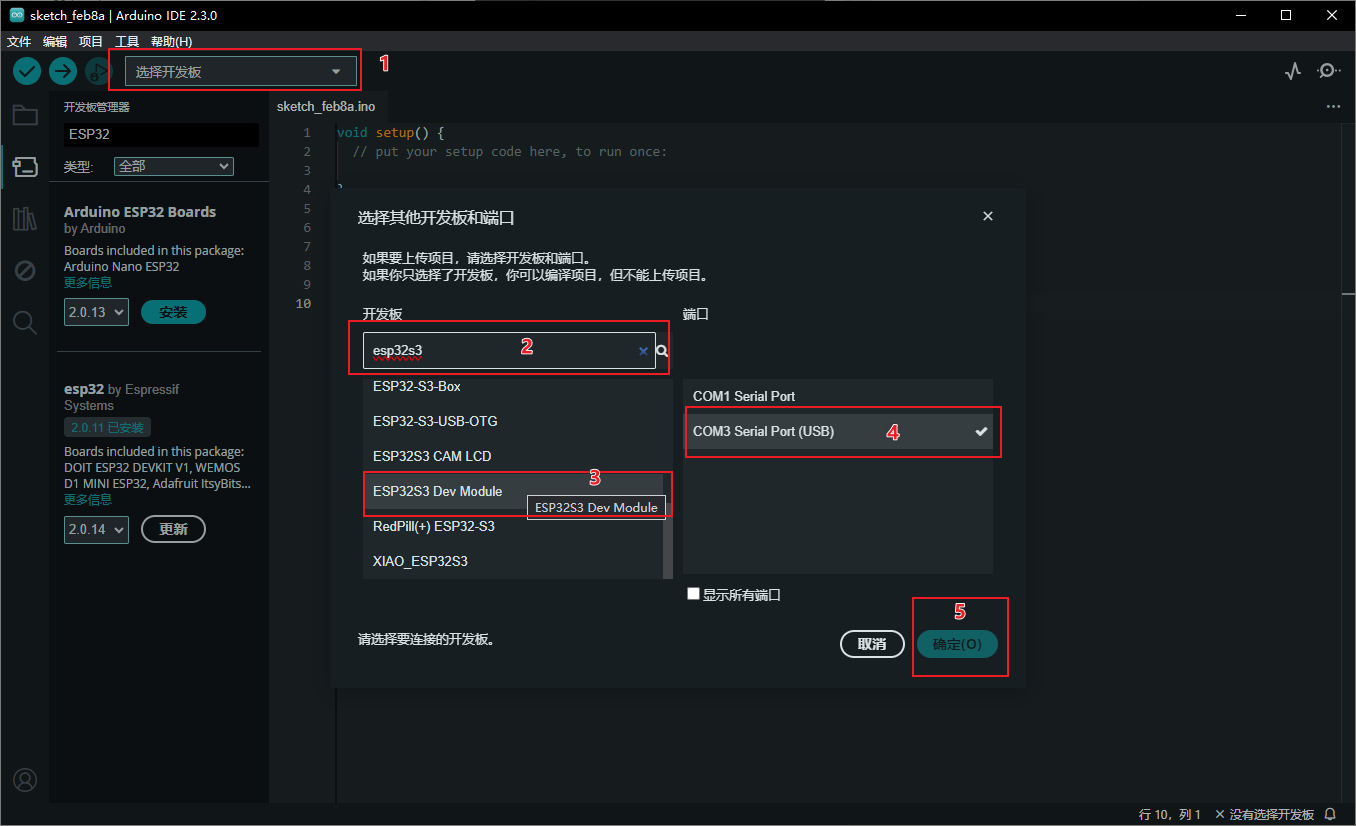
连接完成如下图所示
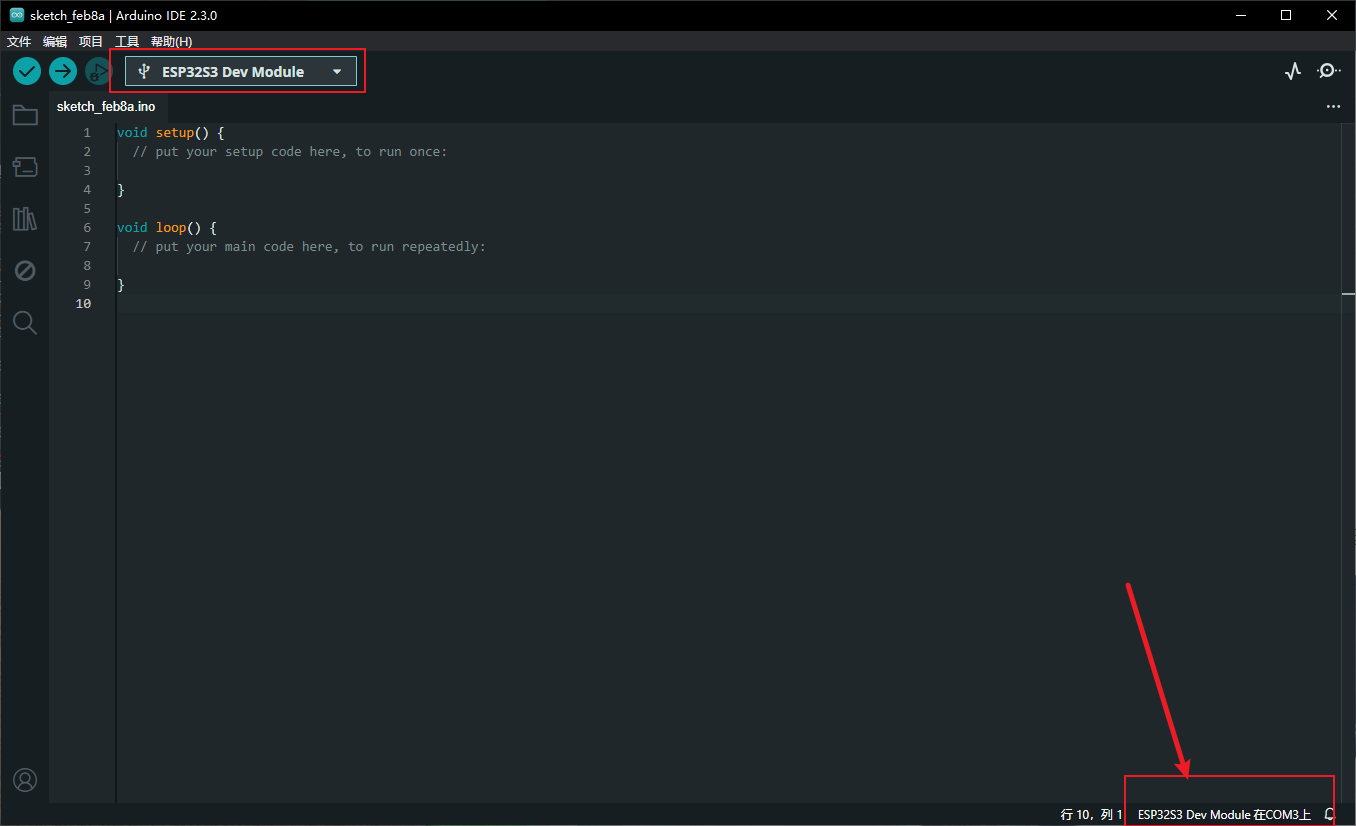
Light up the LED of the development board through the example in Arduino IDE 操作步骤如下图所示
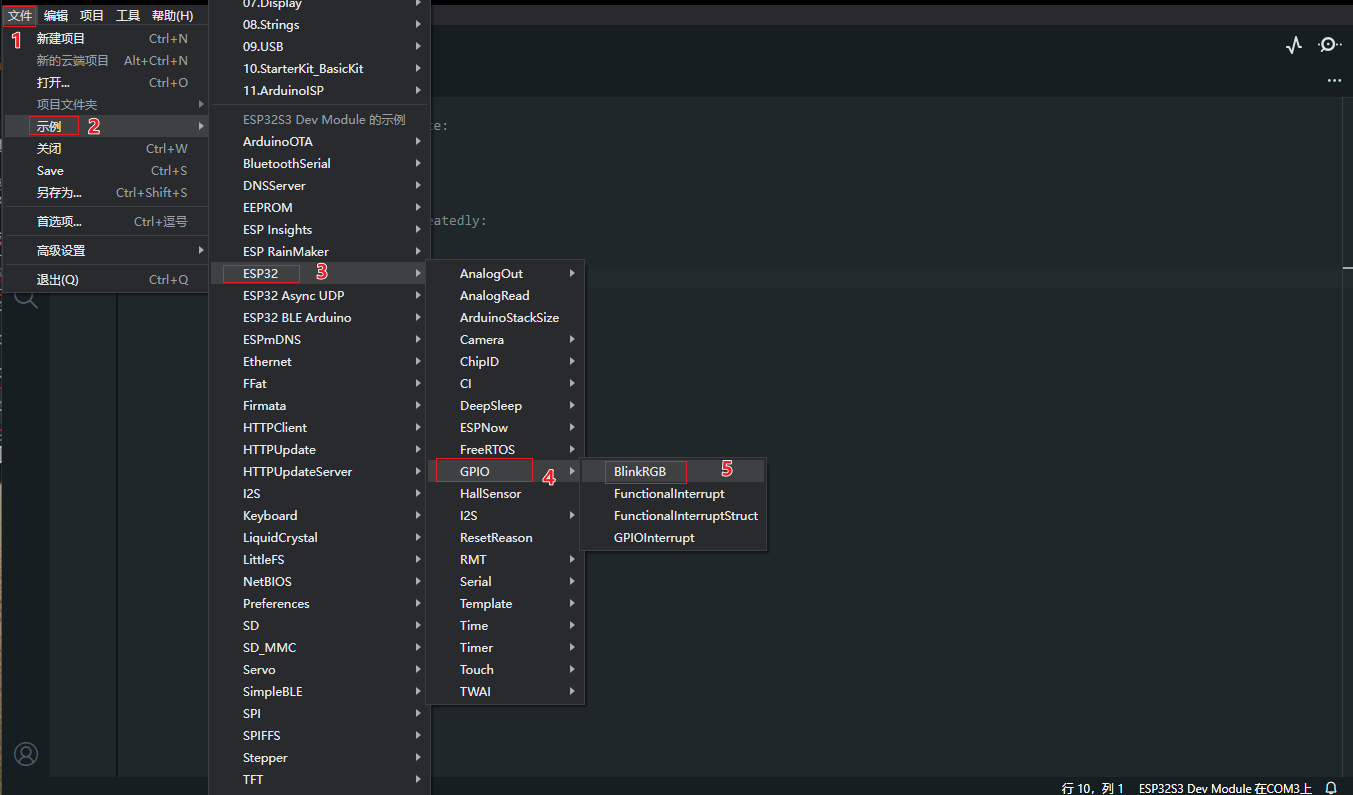
Next, the IDE will add a new window to display the BlinkRGB project.
As shown below
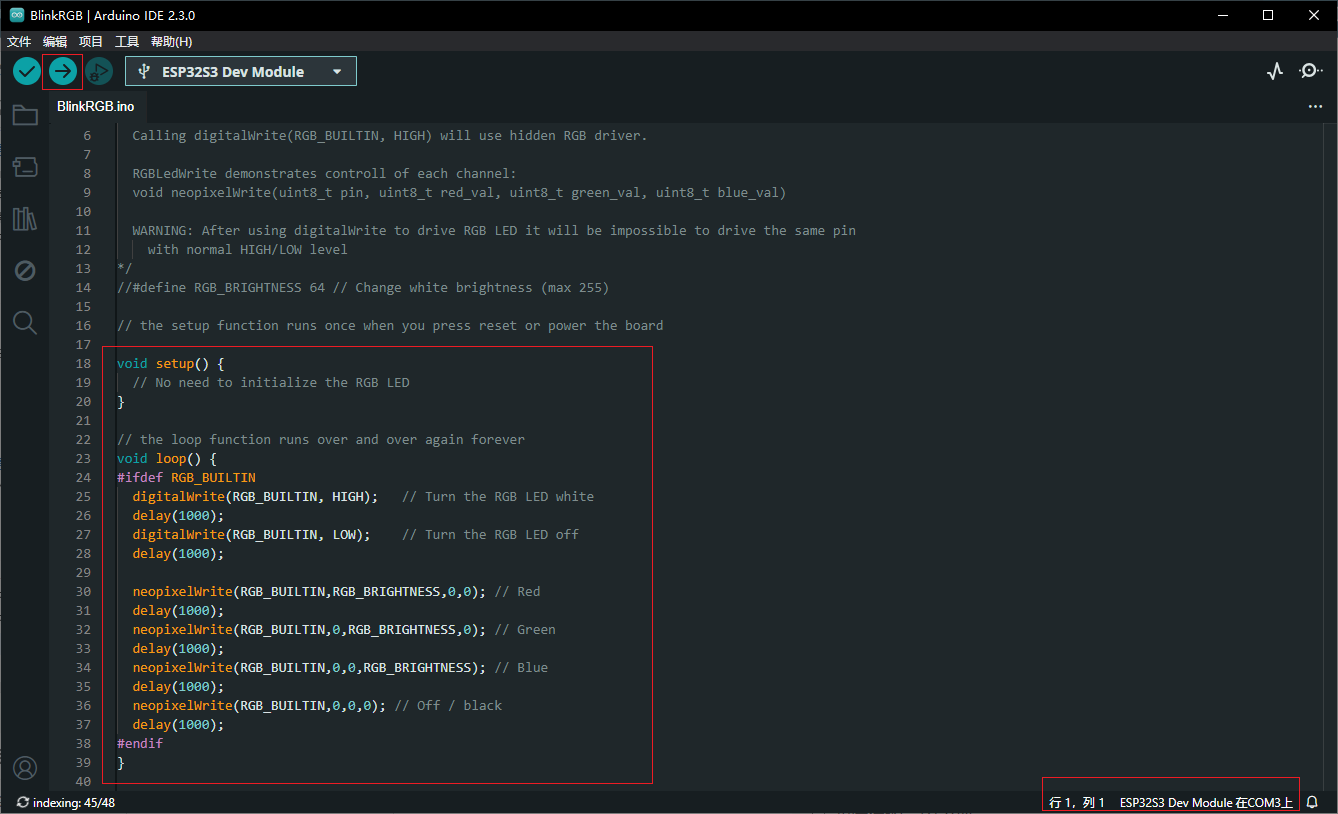
After confirming that the development board is connected normally, you can click the upload button in the upper left corner to upload the code to the development board.
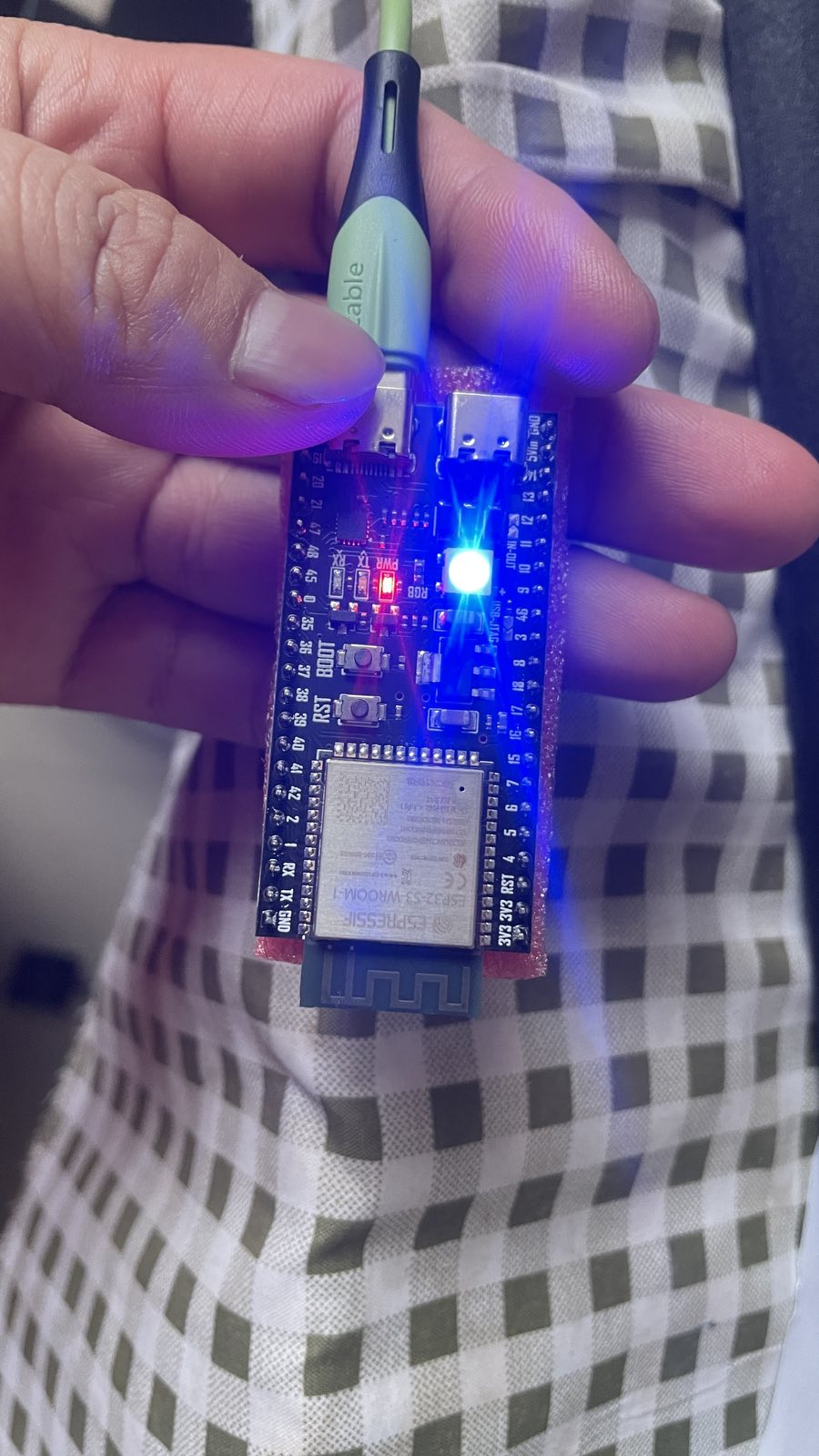
After the above steps, the LED in your ESP32 development board starts to flash.
Reference:
How to install Arduino IDE? Add additional development board? Take ESP32 as an example - Xiaodong https://xd.sh.cn/arduino-ide-esp32/