When encountering this kind of menu, you need to combine data and then import it into the cashier software database. We can use the "&" number to combine the data
The original table data is as follows
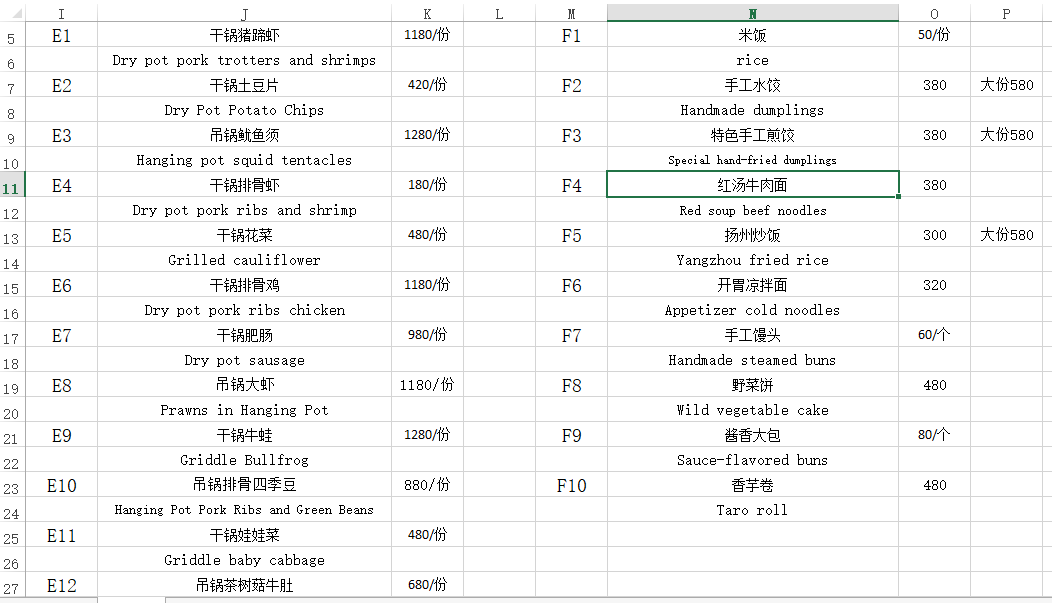
Use the “&” symbol to combine data
As follows
Enter the following content in cell N5, and combine the data of I7, J7, and J8 in N5.
=I7&J7&J8
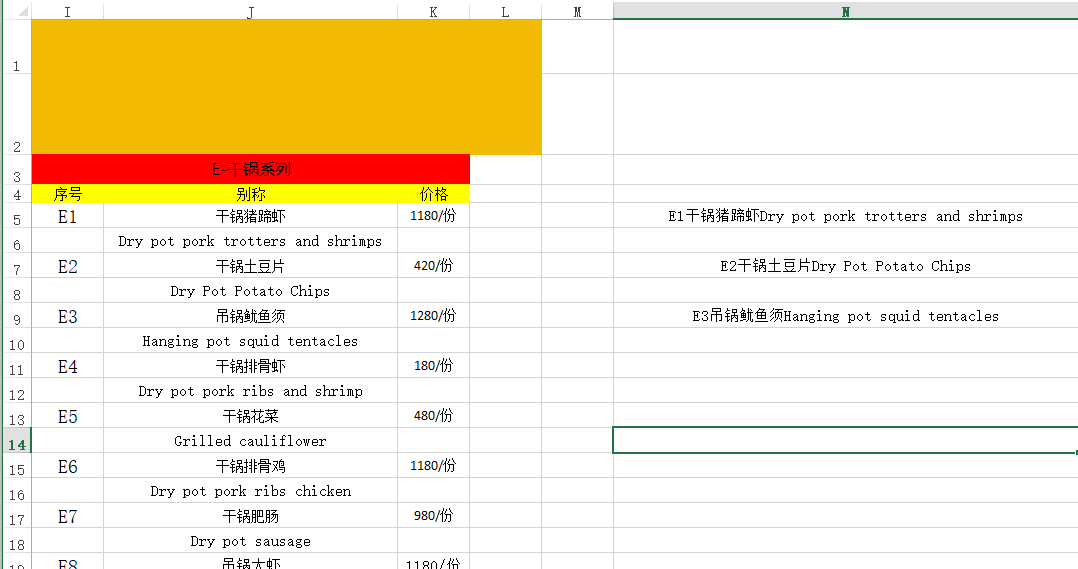
Split data using the Sort by Column feature
The translation is generated based on ChatGPT and then directly pasted into the table data as follows:
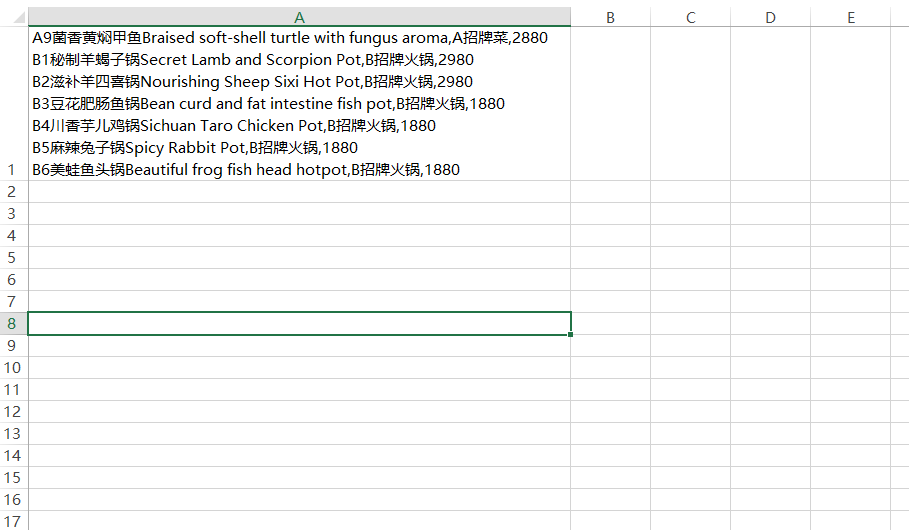
At this time we can use the ** “split” ** function to process the data
- one
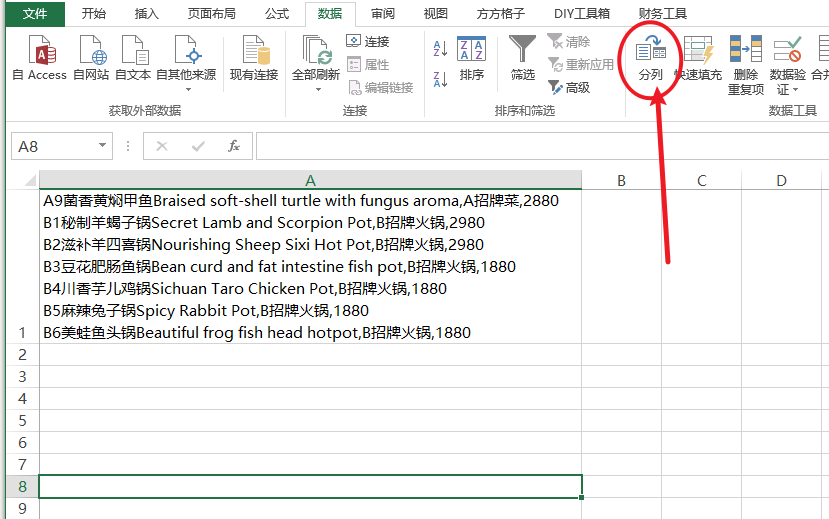
- two
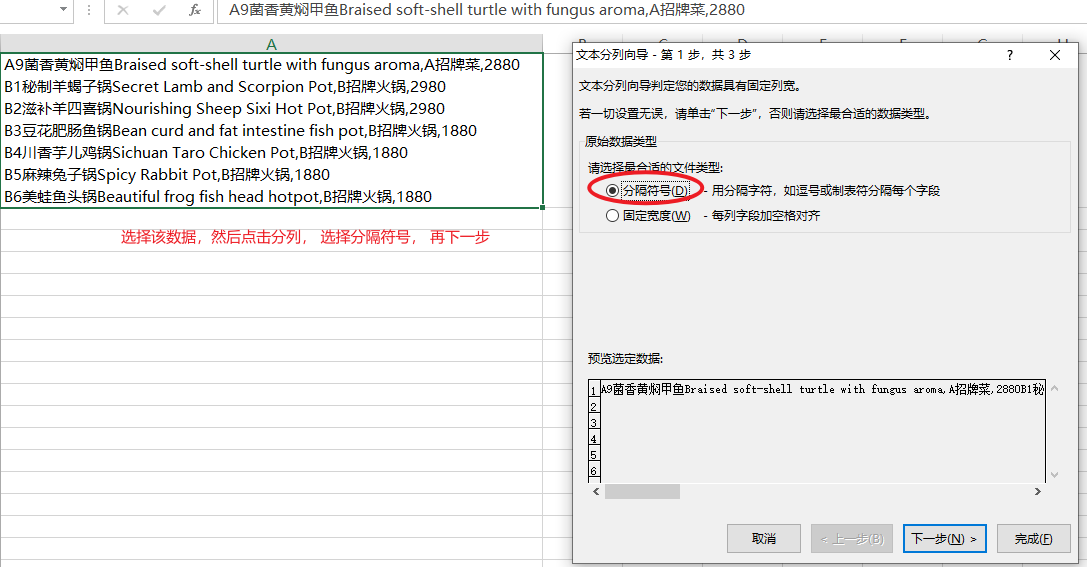
- three
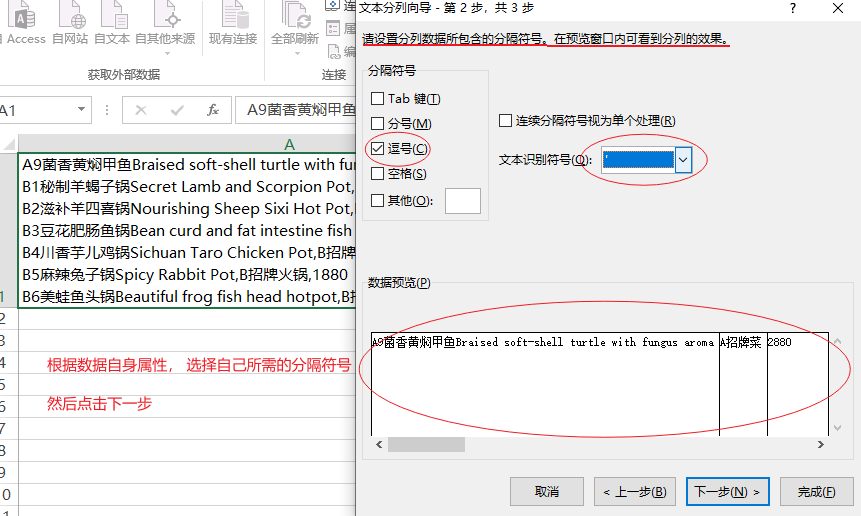
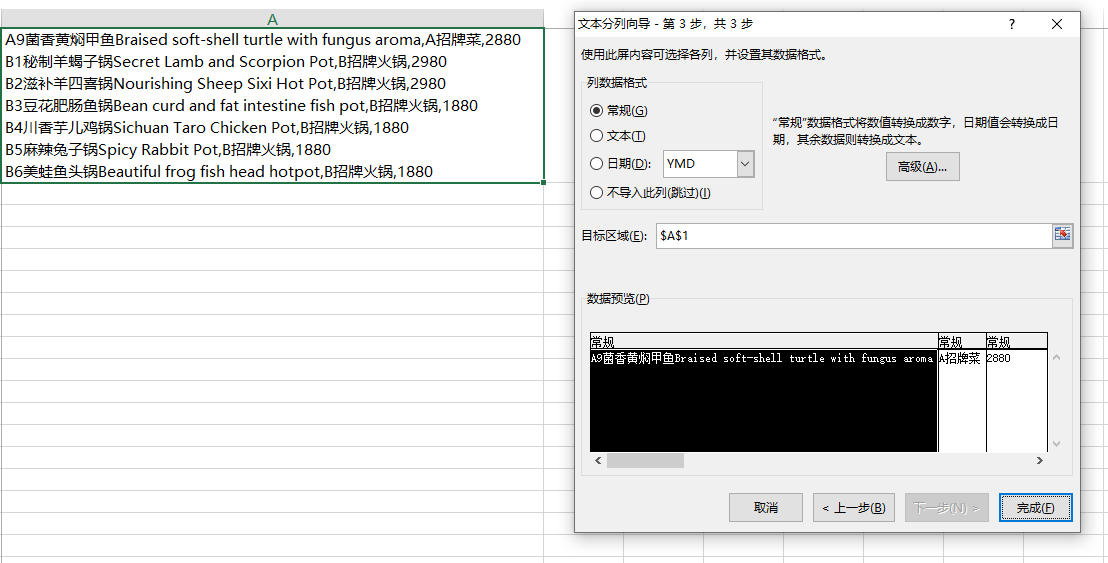
- 4 This is the final step, you can choose according to your own needs. If not required, click Finish.
- The final effect is as follows
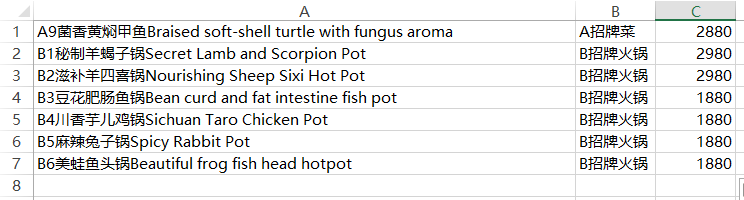
- The final effect is as follows