Because the hardware standard of panabit is not enough. Panabit equipment is not allowed in the computer room. So install panabit on the Alibaba Cloud public server. Then deploy the iWAN service and forward the peer data to the Alibaba Cloud public server through the iWAN service. In order to forget it in the future, I will record the notes as follows.
Server requirements
Centos 7.6
2-core CPU, 2G memory, bandwidth configured as required
Installation steps
Use the official upload and installation tools and Panabit version (please contact the official) With one-click operation, after restarting the cloud server, you can access the web management interface for configuration and management by accessing the public IP address.
Interface configuration
Since the public cloud server only has one network card, remember to clone the mac address when adding the WAN port. Just write the private address for the network port address. The detailed settings are as follows
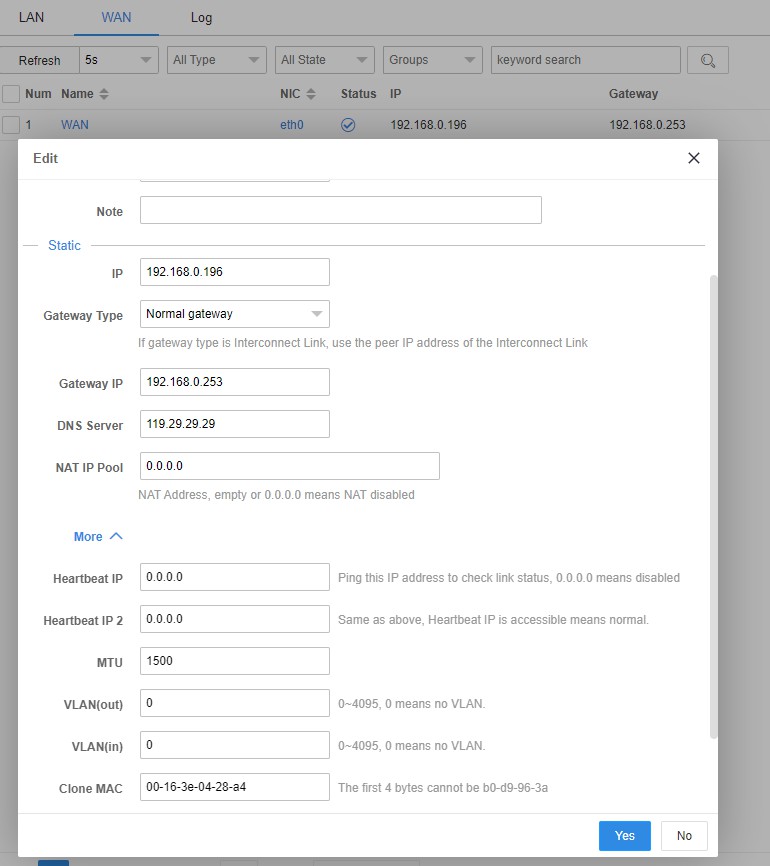
iWAN service configuration
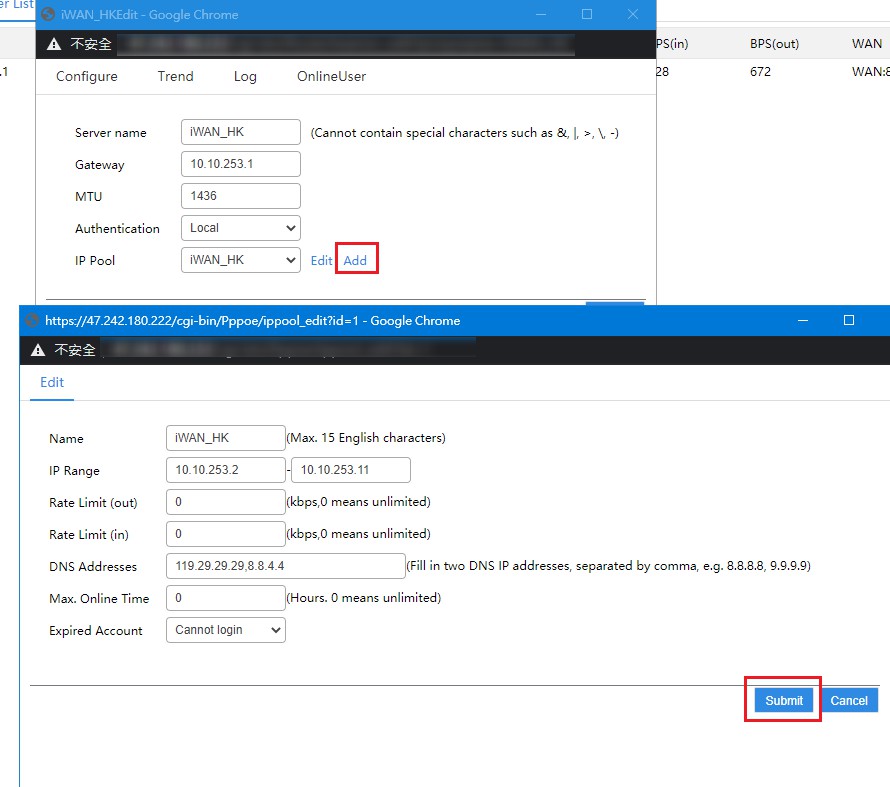
- Configure the address pool (note that the address assigned by the iWAN server cannot conflict with the peer’s LAN IP address)
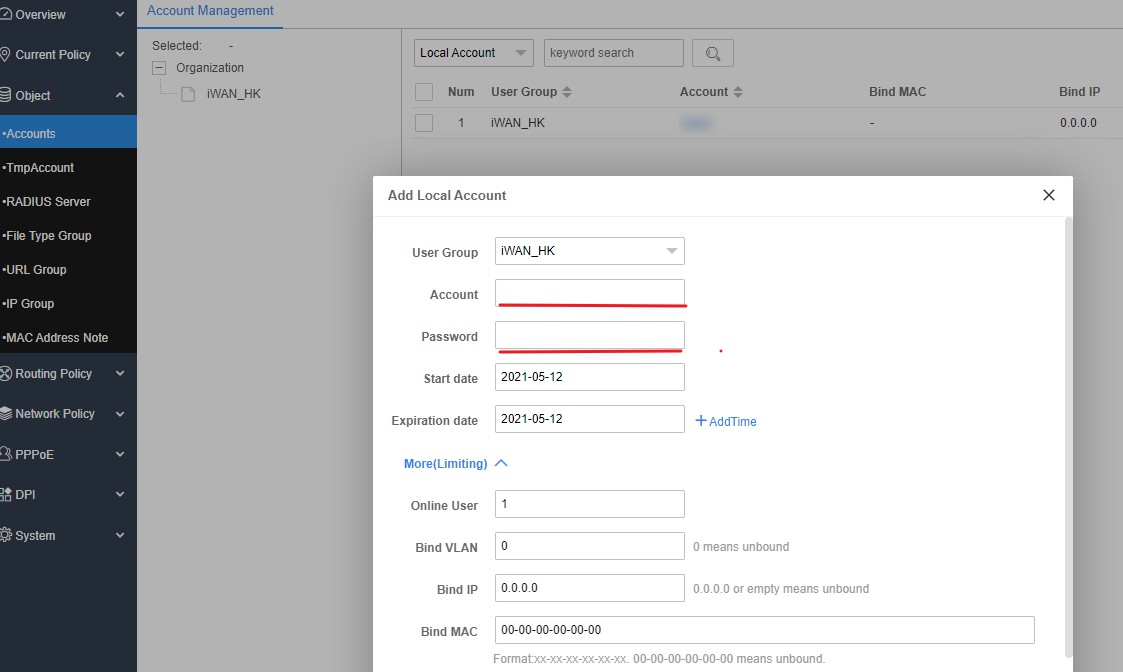
- Configure authentication account
- Create an iWAN service and map it to the WAN port (official instructions indicate that it can only be mapped to PPPOE type or static IP type lines, that is, it must have a public IP and cannot be mapped to DHCP type lines)
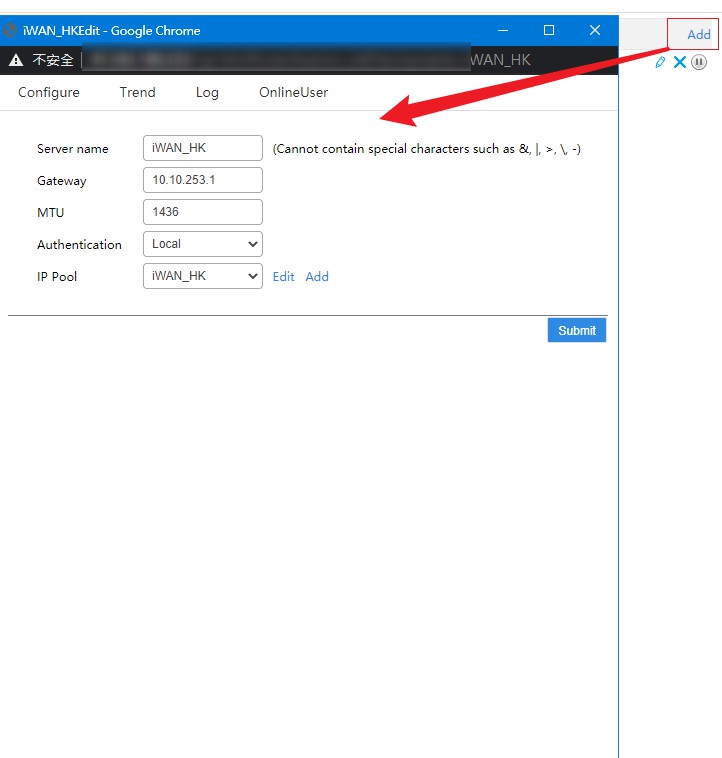
- Mapping iWAN services
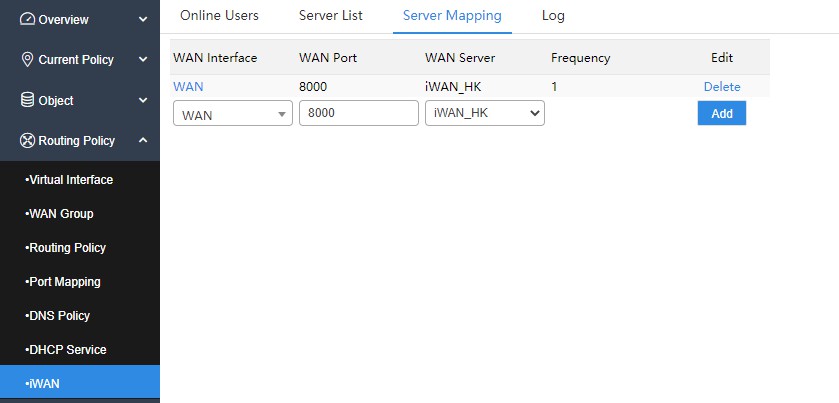
- Create a new policy route on the server side so that the client can access the Internet through the server side.
At this point, the configuration of the iWAN server is complete.
iWAN client connection
Add a new WAN port on the opposite end of Panabit, and select iWAN as the protocol. Fill in the corresponding server information to connect.