Use remote PC software on local PC
The reason is that in daily work, there is a need to use a certain application in the remote computer. The normal operation is to remotely access the destination PC through RD (remote desktop) and then perform the operation. This is a bit troublesome for me. I want to execute the application of the remote PC directly on my local PC. So I found “RemoteApp Tool”;
In this article, I will briefly introduce the “RemoteApp Tool” project, its usage and some configuration instructions. And some experiences after using it;
RemoteAPP Tool
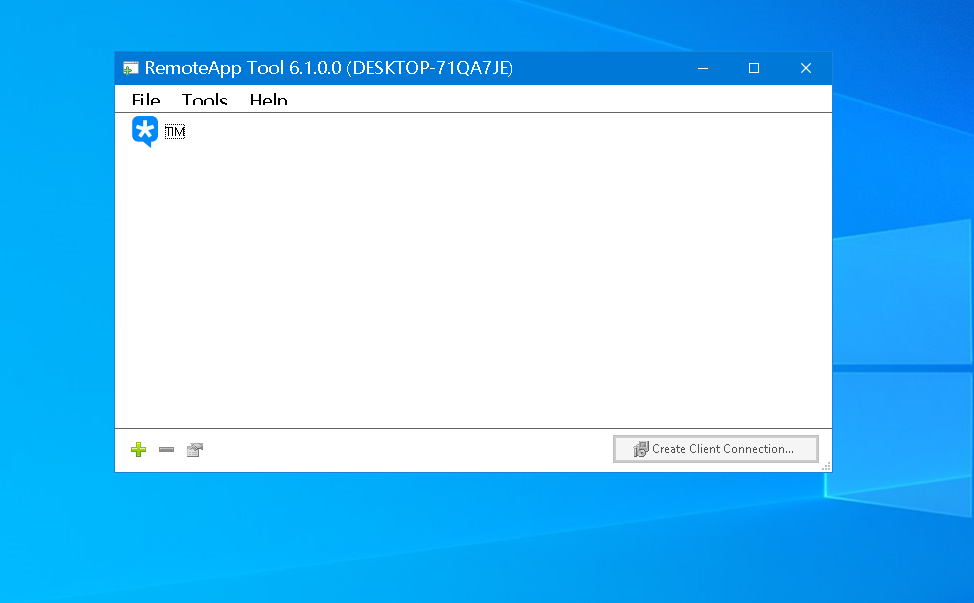
RemoteAPP Tool is a Windows operating system based on the Microsoft Remote Desktop (RDP) protocol, which can “seamlessly run remote computer applications on the local desktop.”
- Project address: https://github.com/kimmknight/remoteapptool
- Software screenshot
Usage steps
Prerequisites
- Remote desktop has been turned on on the remote computer and the user has access rights.
- This machine can access the remote computer normally
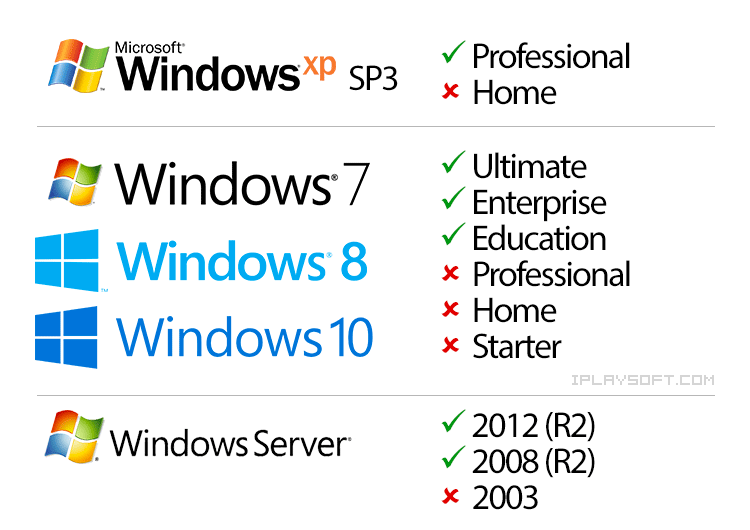
- Please see the picture below for the perfectly supported operating system version. If your operating system is not a supported version, you may need to change the operating system of the remote computer.
Server operation
- Run the “RemoteAPP Tool” installer to perform the installation
- In the “RemoteAPP Tool” main interface, click the green “+” button in the lower left corner to add the application software you want to be used remotely.
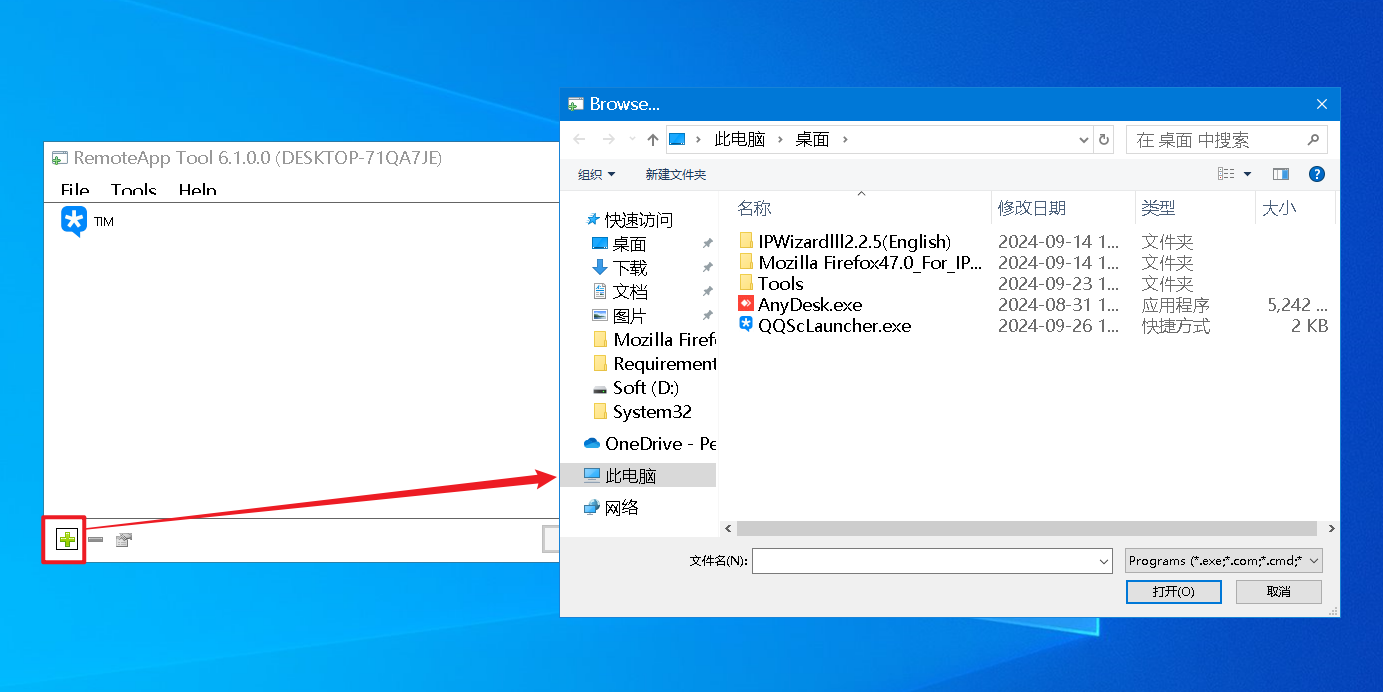
- In the main interface of “RemoteAPP Tool”, select the application software just added to it, then click “Create client Connection” in the lower right corner, and then copy the rdp file to the local computer to use the application software of the remote computer on the local computer.
local operation
- Copy the RDP file created on the remote computer to the local machine and run it directly. Just enter the user name and password.
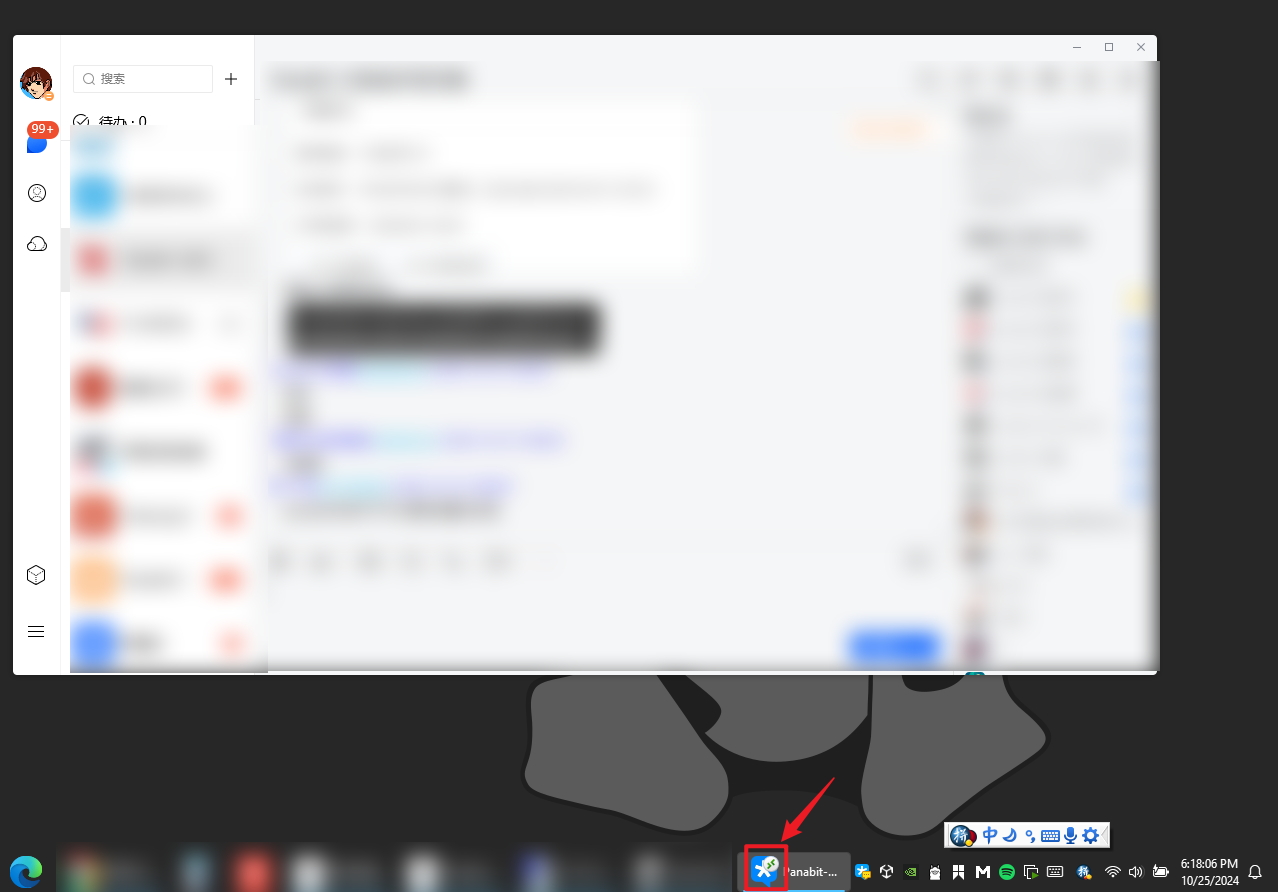
- When you are executing software on a remote computer, the software on the taskbar will display a small remote connection icon.
Summary
The above is the basic usage guide Usage
- In the case of remote WAN 這種聊天桌面軟件沒什麼延遲感受,但是瀏覽器看視頻,或者瀏覽器加載內容的時候會感受到延遲。
- In the case of remote LAN
體驗很好
可以用Adobe photoshop 沒問題
Before this, during the epidemic, due to the maintenance of Internet cafes, we also tried some ways to allow friends who could not go out at home to play games remotely.
Reference
Windows 10 enables simultaneous remote desktop connections for multiple people, the latest versions 1903 and 1909 are applicable - RDPWrap https://iqmore.tw/windows-10-rdp-multiple-users-login#www.itiohubwww
RemoteApp Tool open source remote artifact - run software on another computer locally (similar to PD fusion mode) https://www.iplaysoft.com/remoteapp-tool.html#www.itiohubwww
https://blog.caomingjun.com/use-remoteapp-to-access-apps-in-virtual-machine/