
[Steam no longer provides CM servers in mainland China] CM (Connection Manager) servers are used for Steam account login authentication, friend online status, chat and game invitations, etc. Currently, the server list obtained by Steam no longer contains servers in mainland China.
Since steam no longer provides CM servers in mainland China, it is extremely difficult to log in to steam during the peak evening hours on weekends. This article is written to record the process and solution of dealing with this problem, hoping to help everyone;
The solution is as follows
Method 1: Specify the client connection protocol to start the client
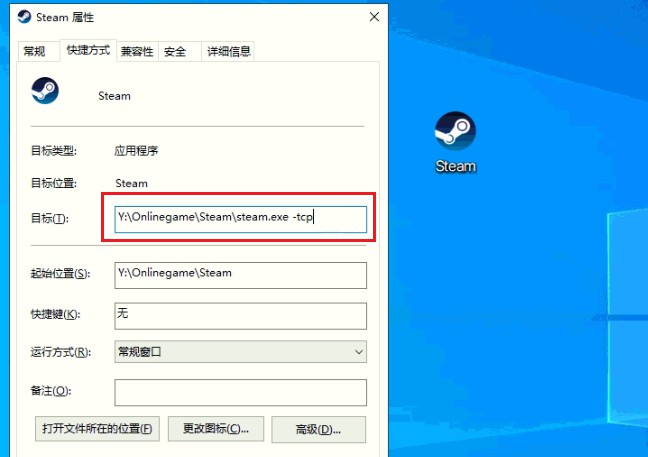
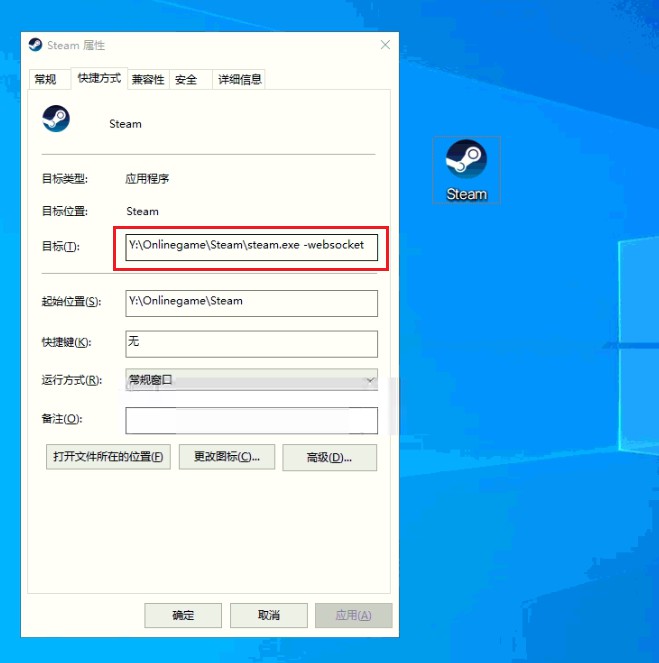
Directly add parameters -tcp or -websocket to the shortcut of steam.exe to specify the connection protocol to start the client.
**-tcp mode **
**-websocket mode **
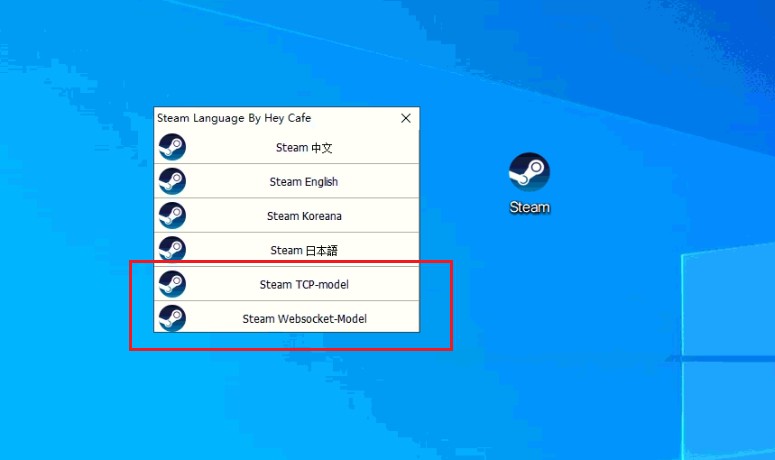
In order to improve the user experience, I added a startup directory so that the startup mode can be selected at startup
If this method fails to connect and log in, please choose method two.
Method 2: Add hosts and specify the CM server by default / force the specification to use WS connection to start the client
Use Dogfight360’s tool to add host, specify MC server, and then start the client through WS connection mode
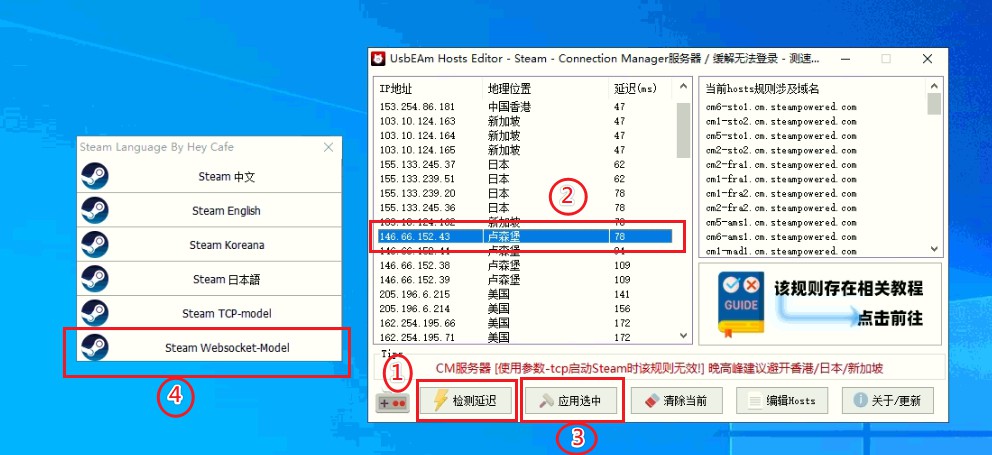
- Click Check Delay to choose a service with lower delay (it is recommended to avoid Singapore, Japan, and Hong Kong during evening peak hours. I choose Luxembourg here, depending on your Internet operator selection)
- Select the specified MC server
- Click Apply to select
- Just start it through -websocket connection mode
This article does not guarantee a 100% solution. I hope this article will enable you to try one more method to solve this problem.
Reference reading: Dogfight 360’s blog https://www.dogfight360.com/blog/knowledge-base/fix_steamlogin/
Steam status
https://steamstat.us/