Use iKuai’s Docker to install Uptime to monitor network conditions and set notification reminders
Uptime Kuma Introduction
I love open source Uptime Kuma is an open source project, its project address is here https://github.com/louislam
The developer thinks that Hong Kong Coder, the project already has 43.4k stars. Please give him more stars!
Reason
Sometimes some servers are offline for some reason and I forget to check. Then the server cannot serve normally. So I came up with the idea to install Uptime in iKuai’s Docker to monitor the online status of servers and network devices.
Prerequisites
- The router must have a free disk to store Docker data, otherwise the Docker plug-in cannot be installed normally.
- iKuai version must be above 3.5
- Bind the device to the iKuai cloud platform and install the Docker plug-in
Installation steps
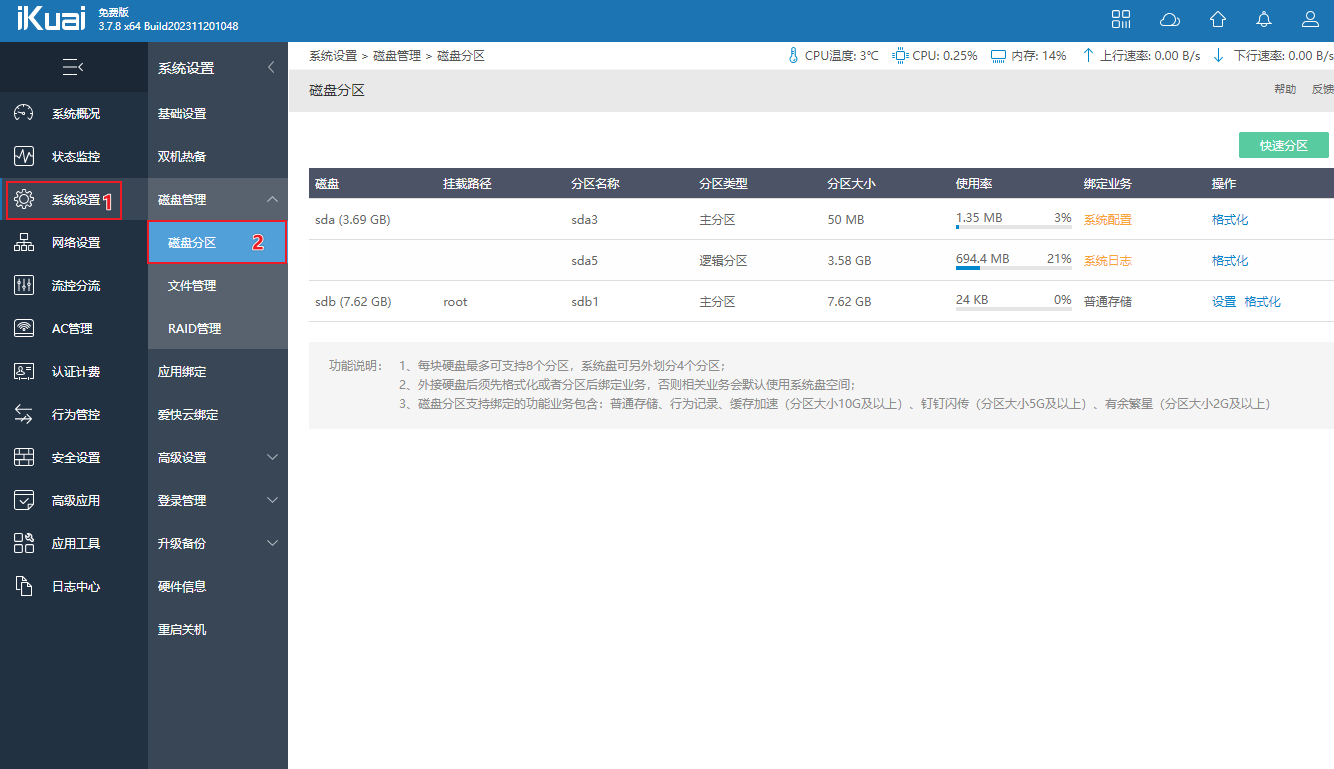
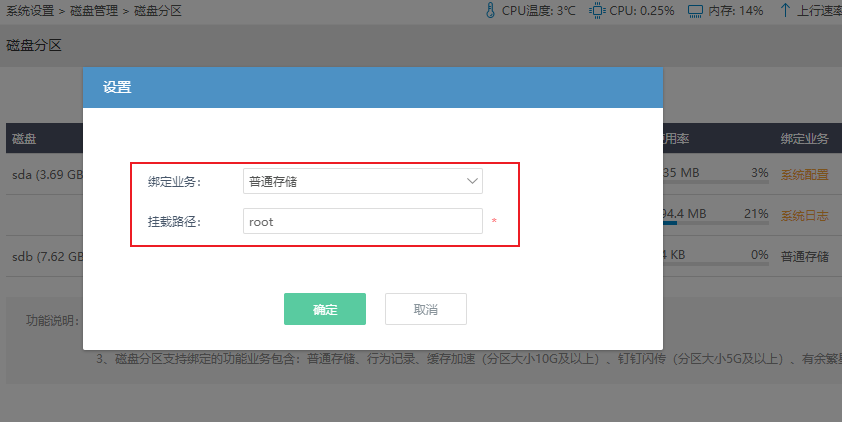
Insert a USB disk into the USB port of the router 并在"系统设置" - " 磁盘管理- 磁盘分区中" 将磁盘分区并挂载 绑定业务选择" 普通存储" 即可
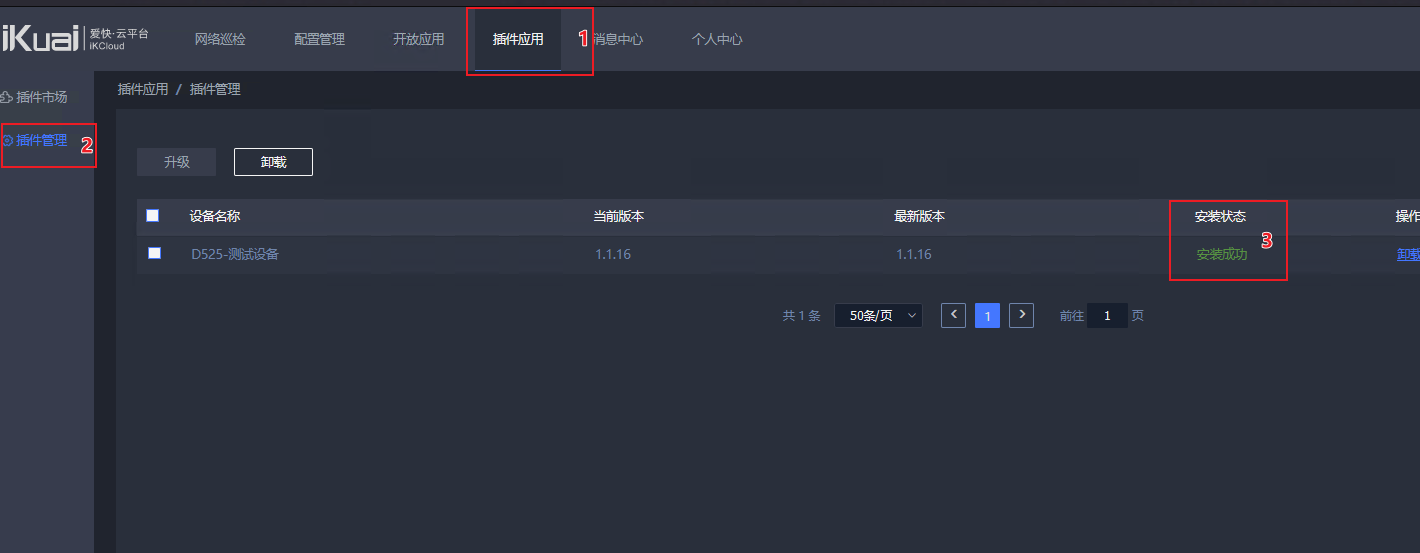
Select the device on which docker is to be installed in the “Plug-in Application” plug-in market of the cloud platform
Check the plug-in installation status in the cloud platform “Plug-in Management”. If it shows that the installation is successful, you can proceed to the next step.
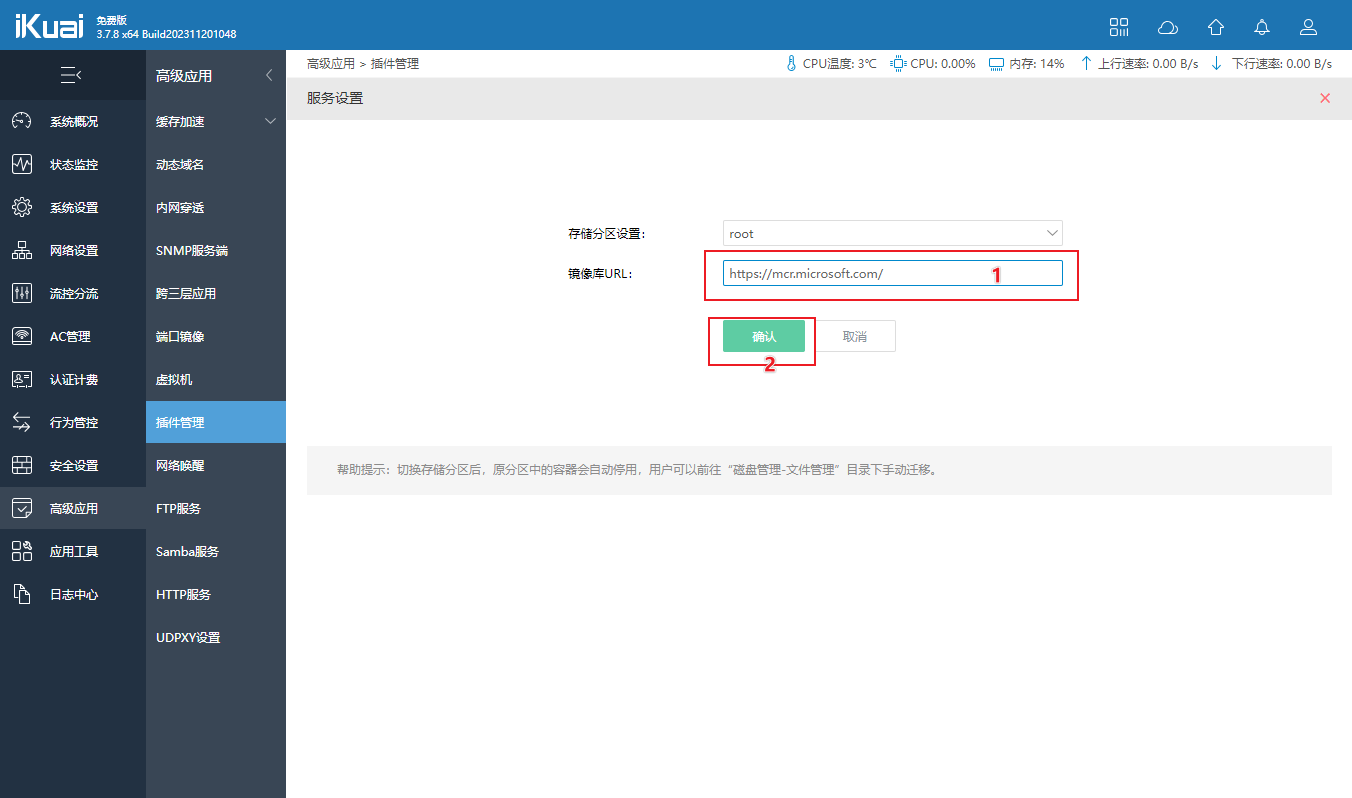
Go back to “Advanced Applications” in the router - “Plug-in Management” and click the blue “docker” (you need to successfully install the docker plug-in on the cloud platform to see it) - “Service Settings” 将镜像库URL 设置为微软的
https://mcr.microsoft.com/ 点击确认保存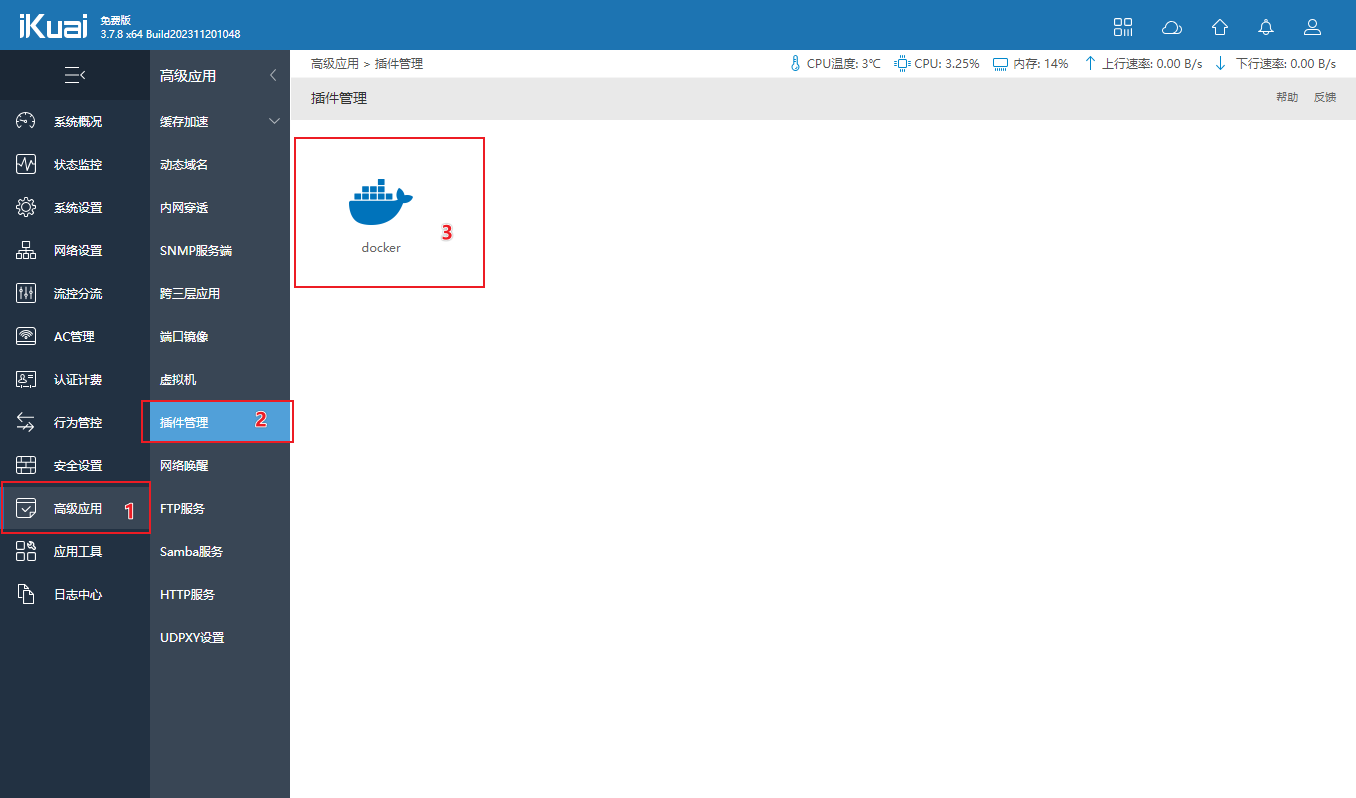
Return to the Docker interface, click “Image Management”, click Add, select “Image Library Download” and enter Uptime in the search box.
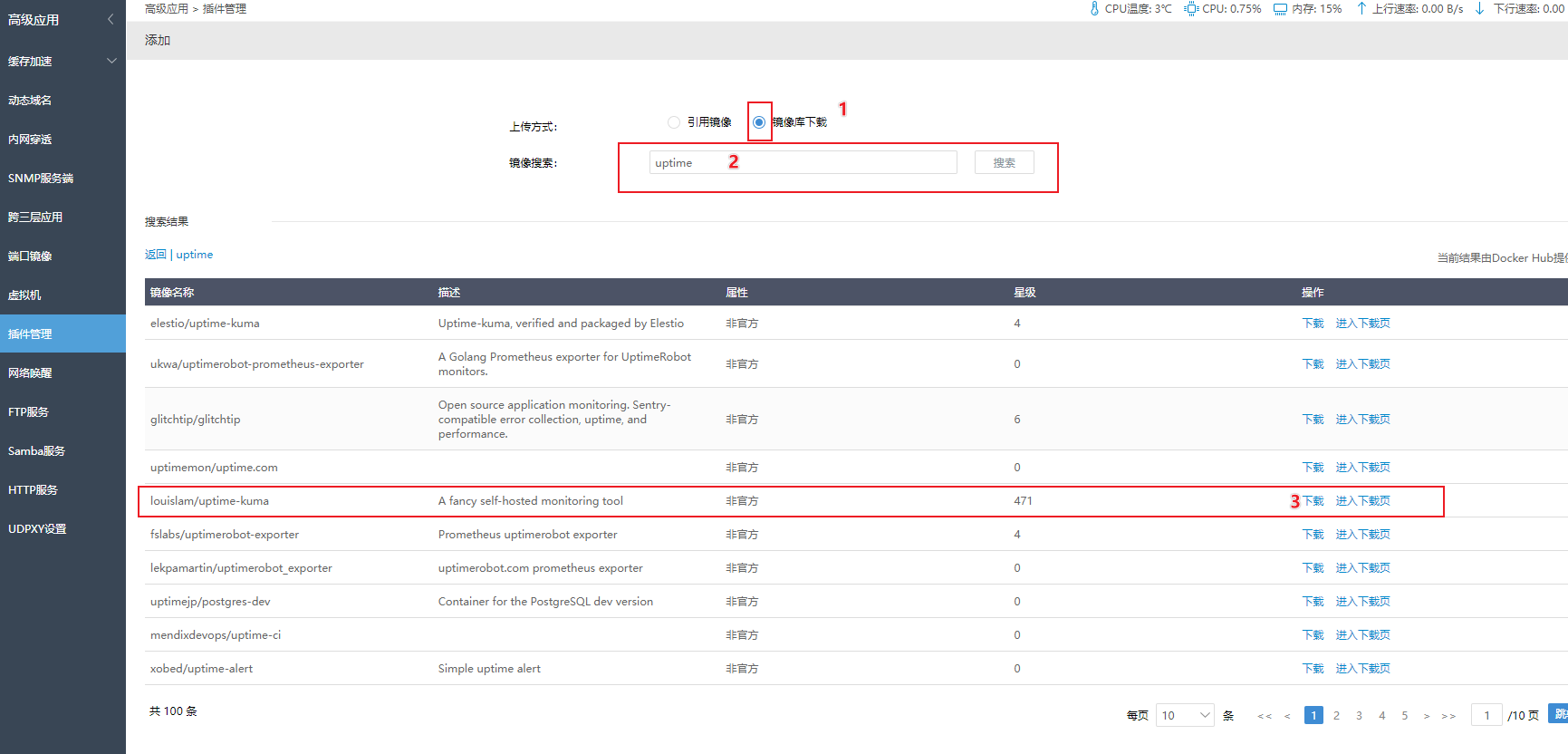
选择: louislam/uptime-kuma 下载, 然后等待提示下载成功
下载时间取决于您的网络状况和磁盘速度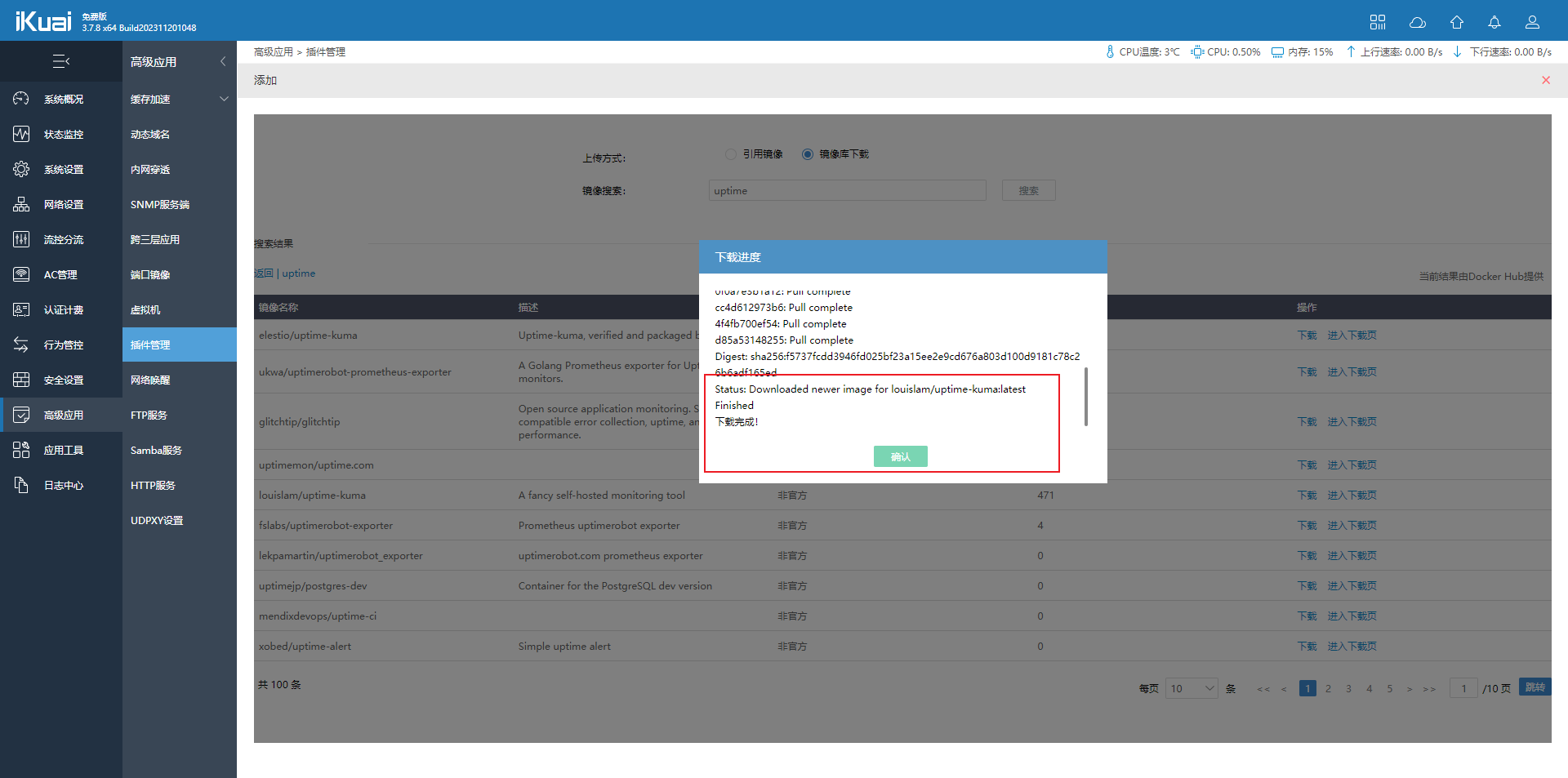
Return to the Docker interface and click “Interface Management” to add a new interface as shown below:
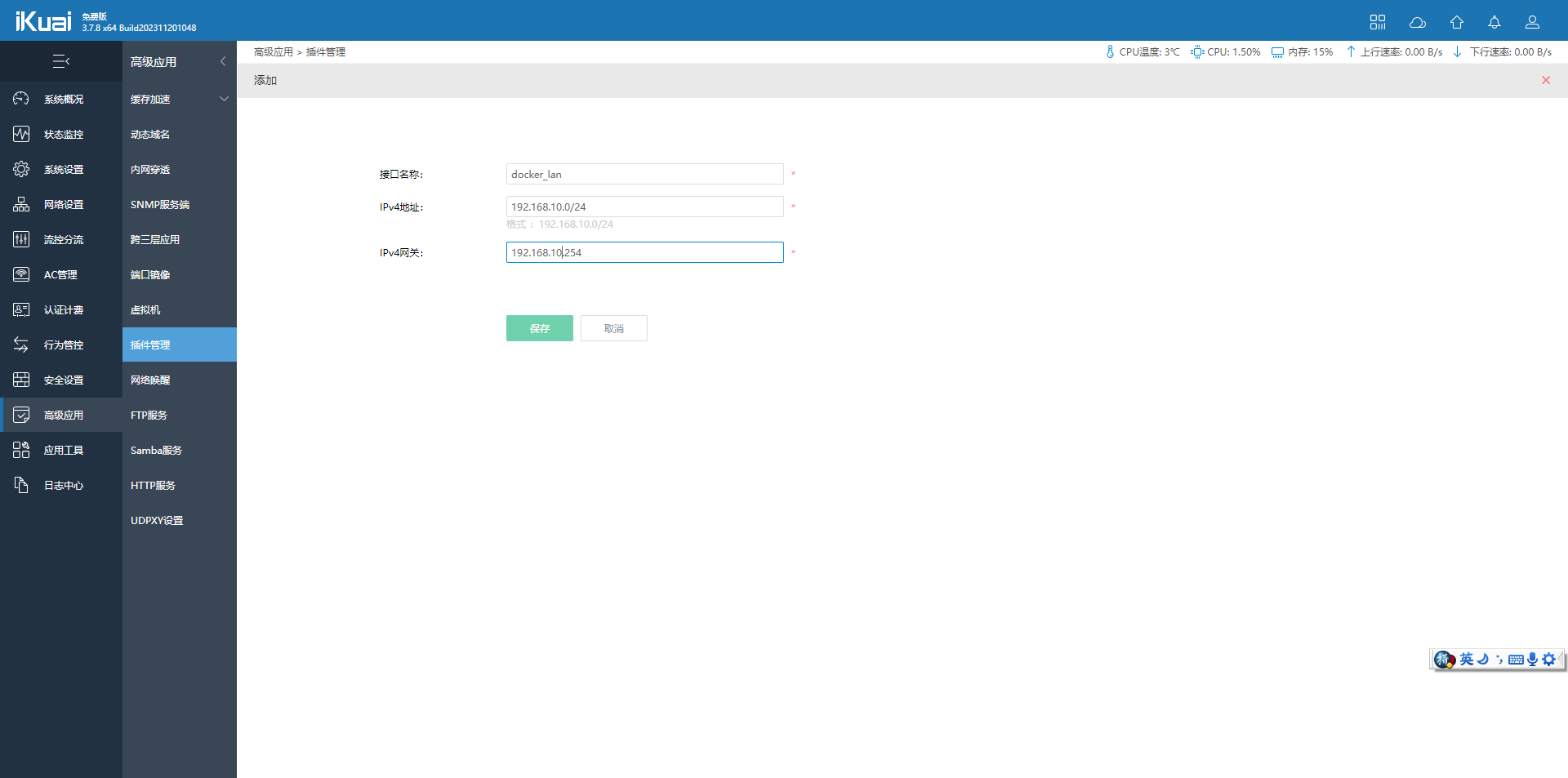
(可以根据您的自身需求设置,但是不可以与路由器本身的LAN地址冲突)Return to the Docker interface, click “Container List” to add a new container as shown below
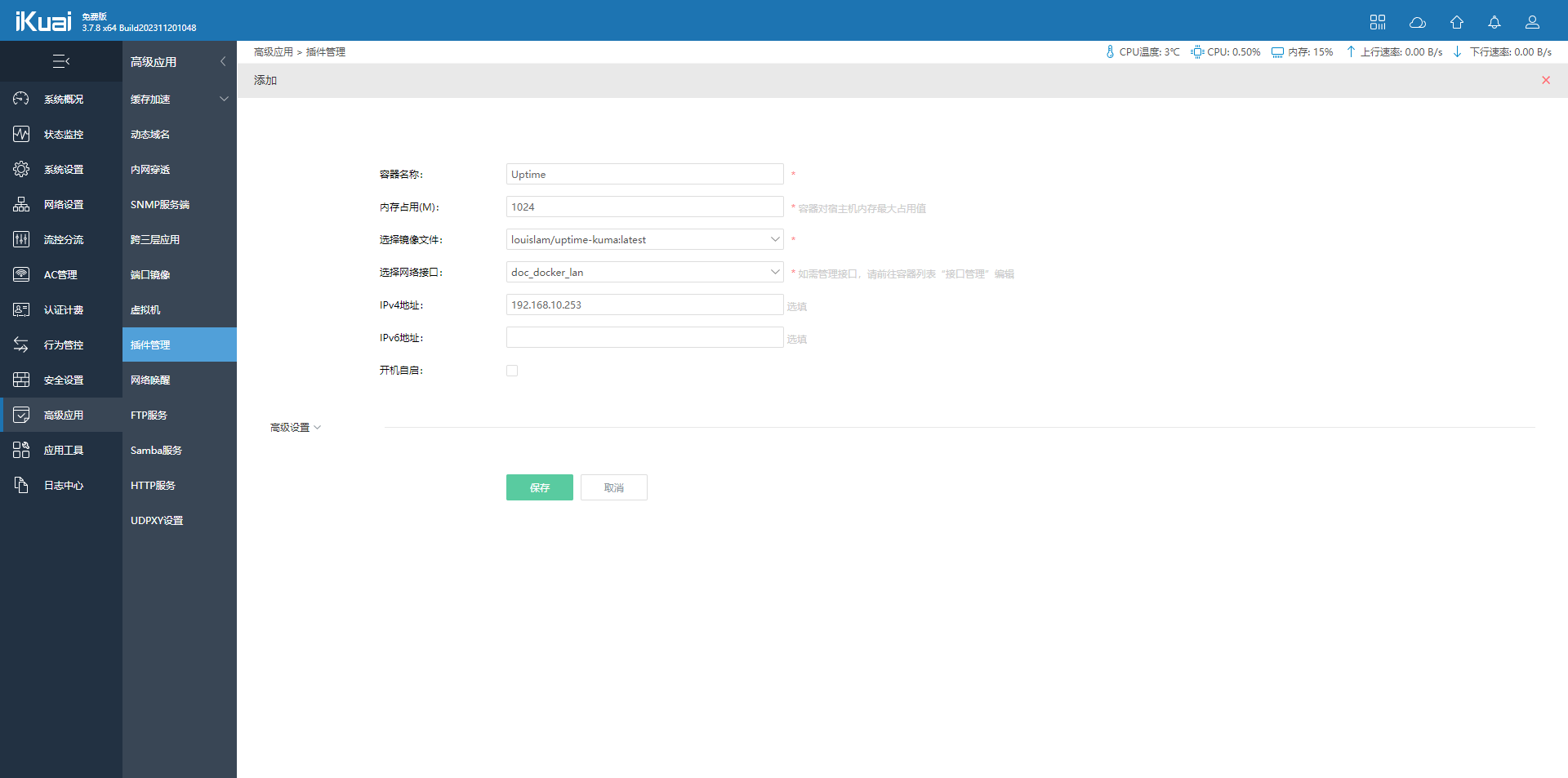
After adding the container, start it
Container port mapping
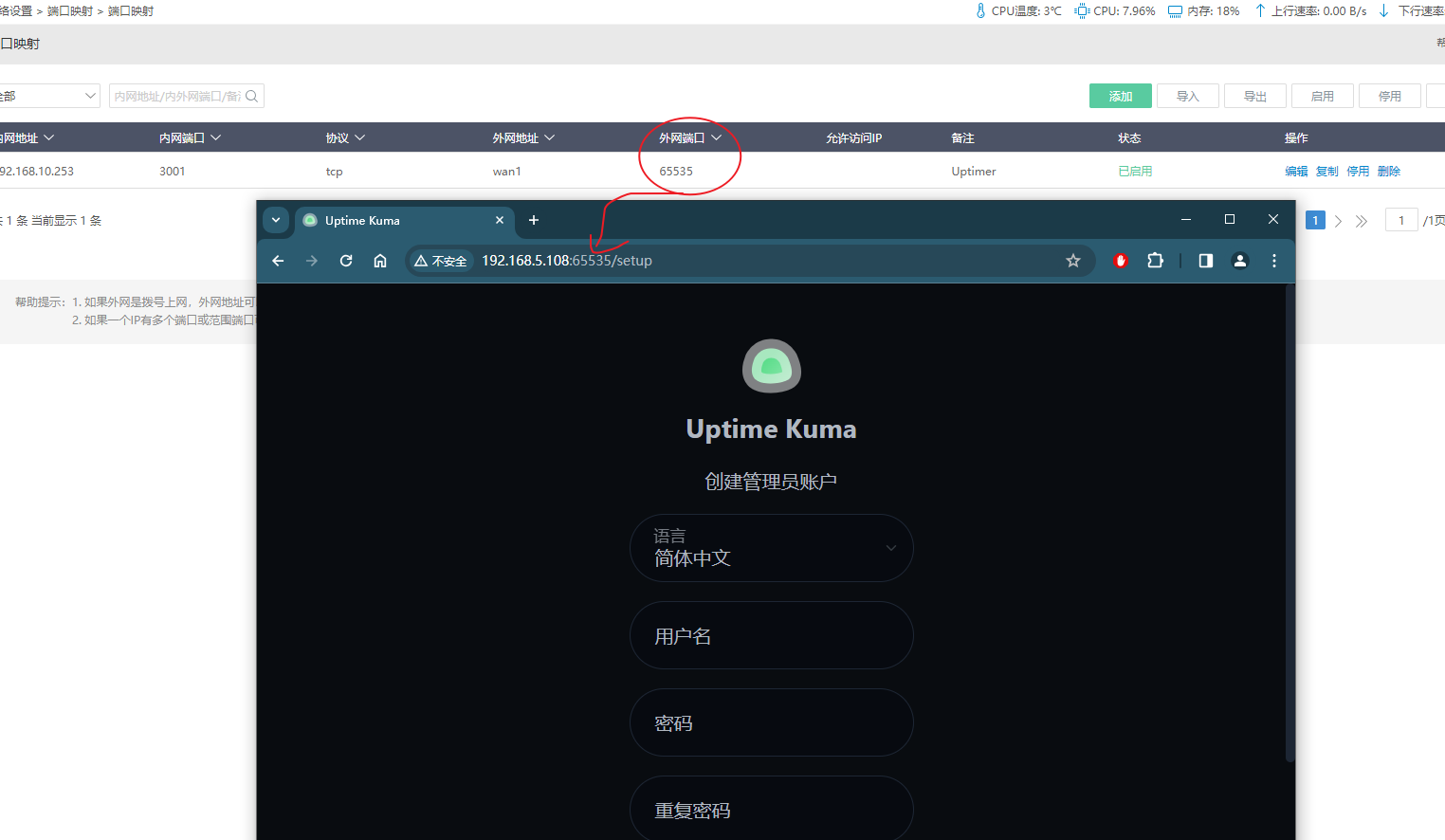
For port mapping, as long as the 3001 port of the container is mapped out, it can be accessed using the external network address.
参考: https://www.ikuai8.com/zhic/ymgn/lyym/2019-12-13-06-35-05/2021-03-08-07-27-41.html
Basic use
Uptime Kuma comes with multiple languages, is simple to configure and easy to use, which greatly reduces the learning cost of operation and maintenance personnel.
In general, the basic use of uptime is divided into 4 parts
- Create an administrator account
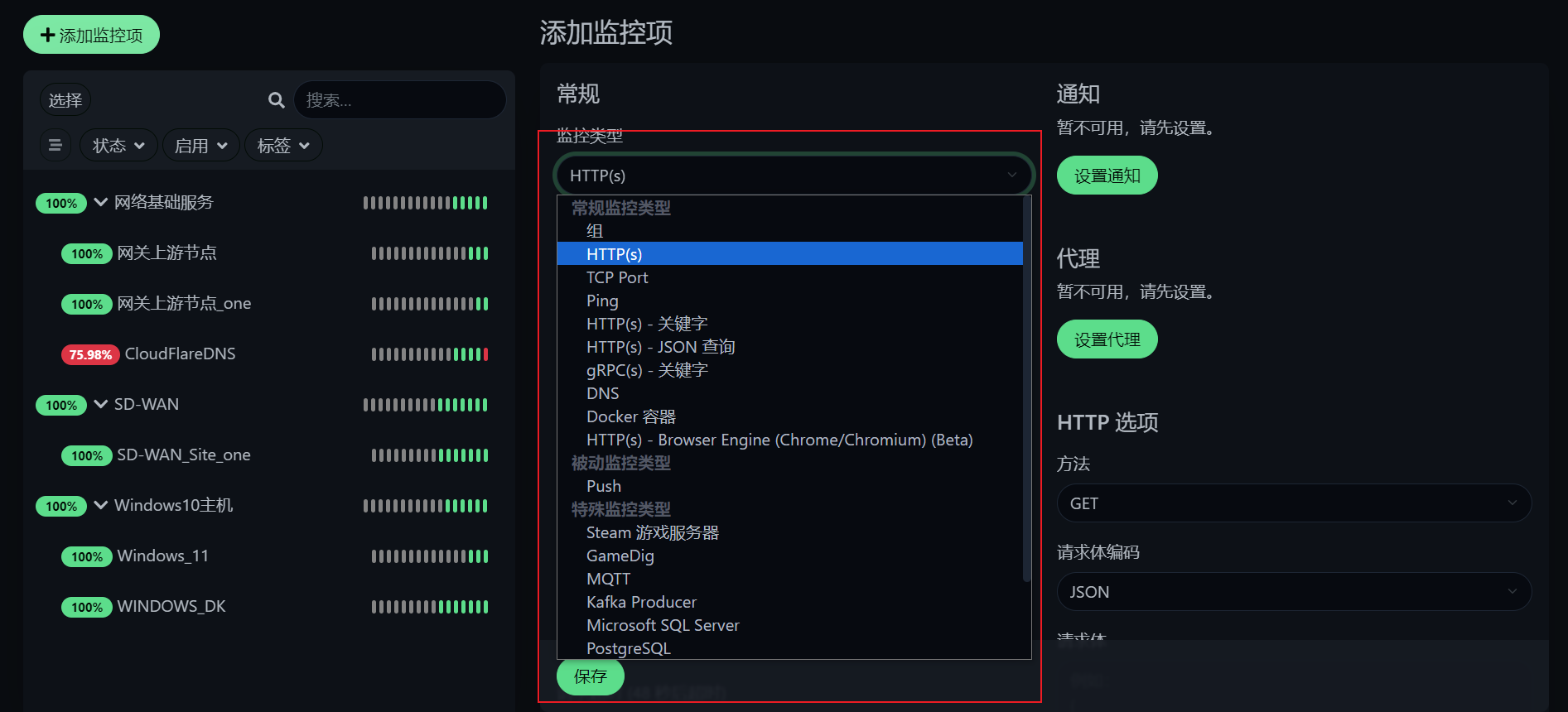
- Add devices or services that need to be monitored
- Create a status page for non-operation and maintenance personnel to view
- If necessary, you can set up notification channels for reminders
It’s up to everyone to study the more advanced API functions themselves.
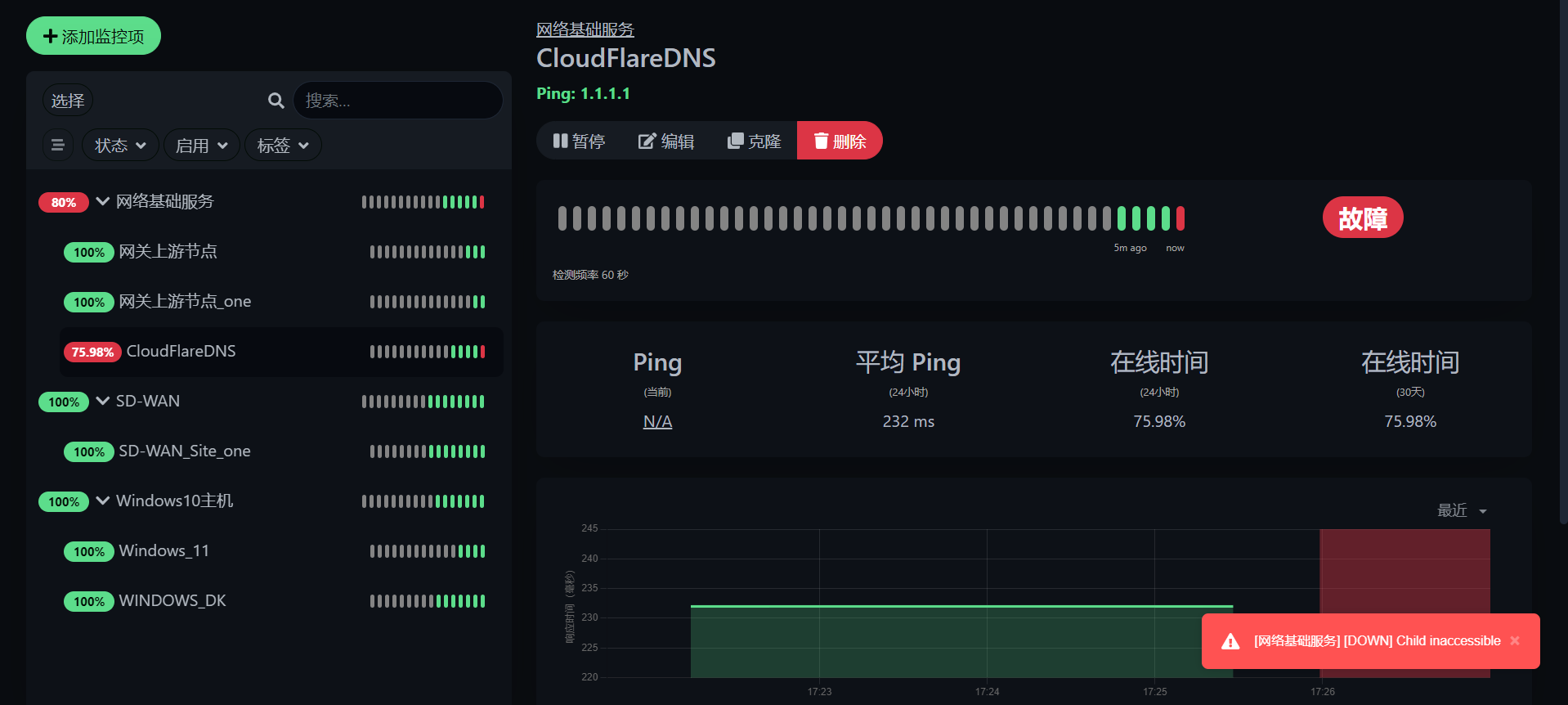
Basic usage is shown in the figure
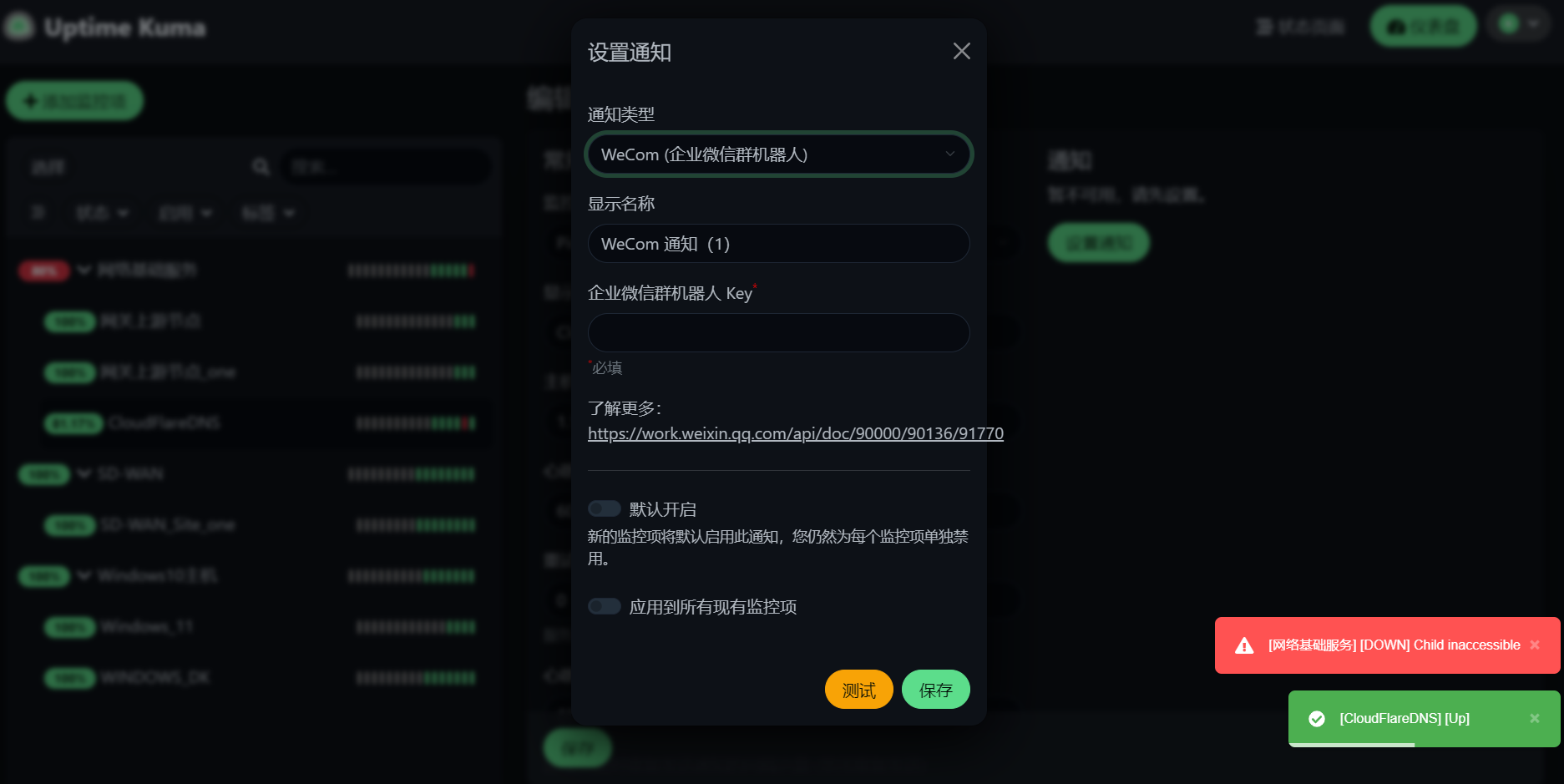
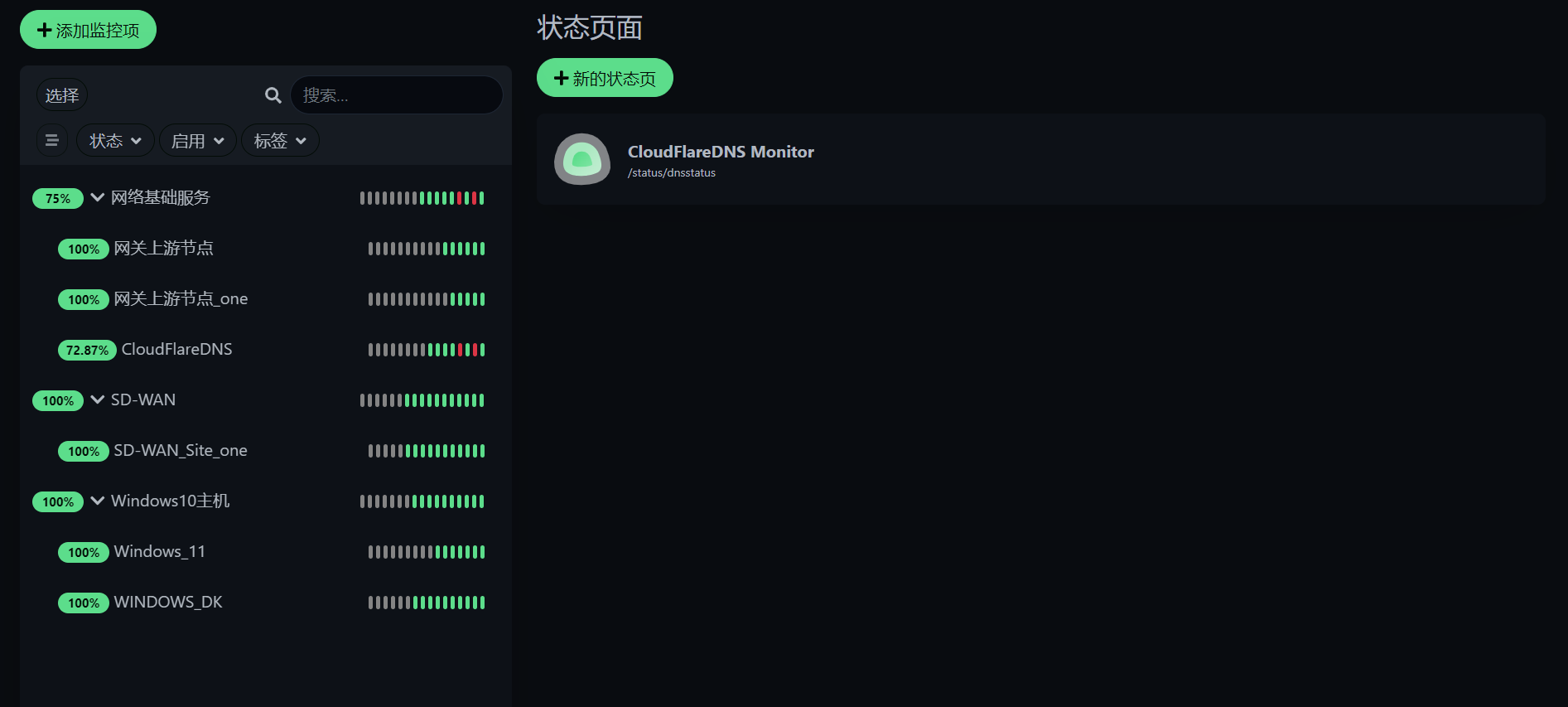
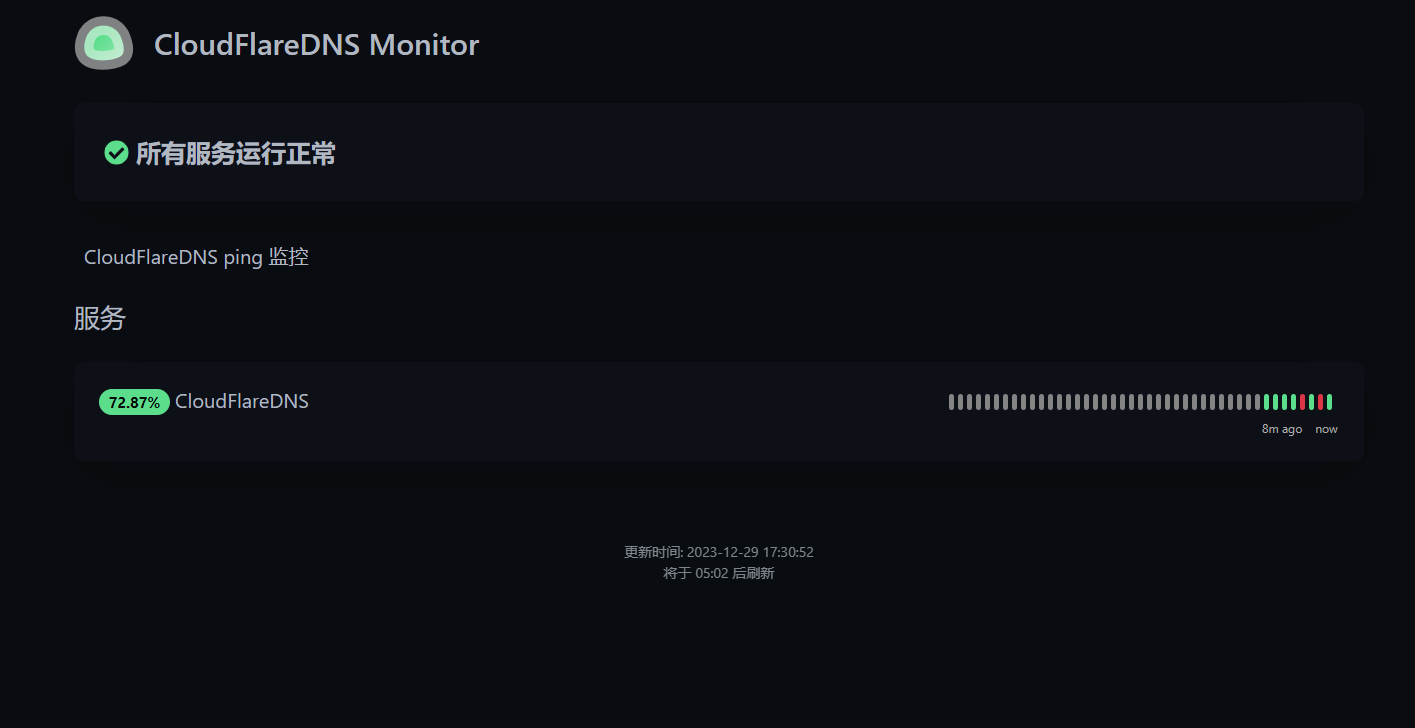
Notification reminder settings
Please refer to the link in the settings page. There are specific documents. Among them, I use Telegram Bot because Telegram Bot is the simplest and most convenient.
final thanks
Thanks to Zhang Pinzheng for sharing, and thanks to iKuai for its products. It is because of them that I thought of deploying it to iKuai and fulfilling my needs.